
Bulk Candidate Outreach: How to Send 500 Personalised Messages Without Triggering Spam Filters
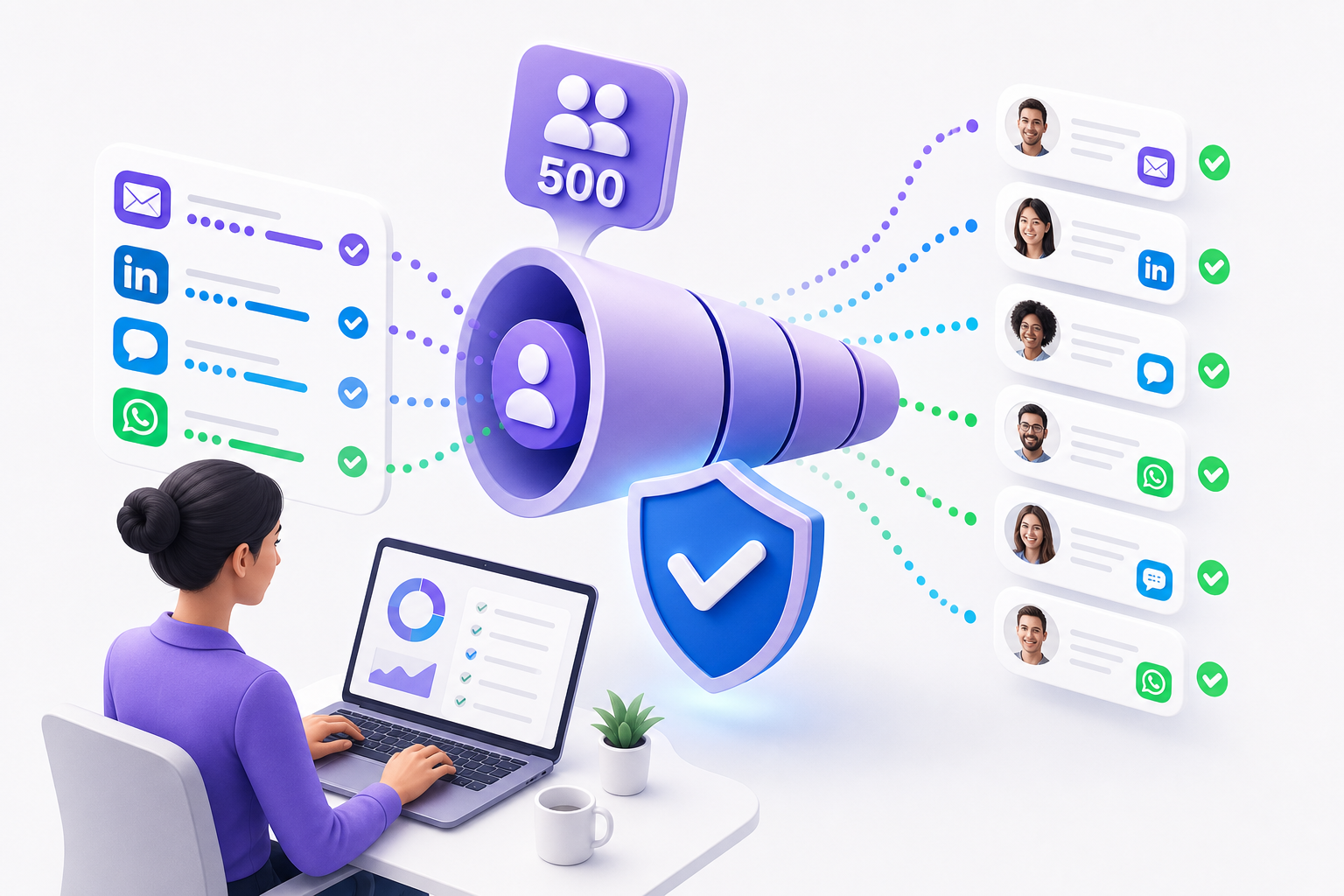
Bulk candidate outreach sounds straightforward until you try it at scale. You have 500 qualified profiles, a hiring deadline in three weeks, and a message template you spent an hour refining. You launch the sequence, watch it go out, and wait. Silence — not because candidates aren't interested, but because your messages never reached them, or landed looking like spam.
- Why Bulk Outreach Fails Before Candidates Even Read It
- The Channel Mix: Why Email Alone Isn't Enough
- Writing Messages That Get Replies at Scale
- Technical Setup for High-Volume Sending
- Avoiding LinkedIn Restrictions
- How AI Changes the Personalisation Equation
- Measuring What Is Working
- Putting It Together: A Repeatable Process
- FAQs
Why Bulk Outreach Fails Before Candidates Even Read It
Most bulk outreach problems happen before a single candidate reads a word. Messages get filtered, flagged, or deprioritised at the infrastructure level. Understanding why is the first step to fixing it.
Email Deliverability
Email providers use a combination of technical signals and behavioural data to decide whether your message lands in the inbox or the spam folder. Sending 500 emails from a domain with no sending history — or from a shared IP with a poor reputation — is a fast path to junk.
The core technical requirements aren't optional: your domain needs SPF, DKIM, and DMARC records configured correctly. Without them, receiving mail servers have no way to verify you are who you claim to be. Many recruiters using company email addresses assume IT has handled this. It's worth confirming before you launch anything.
Volume ramp-up matters too. If your domain has been sending 20 emails a day and you suddenly blast 500 in an afternoon, spam filters treat that as anomalous. Warming up a domain means gradually increasing volume over two to four weeks so the sending pattern looks organic.
Message content triggers filters as well. Certain phrases, heavy HTML formatting, too many links, and attachments all push up spam scores. A plain-text email that reads like a human wrote it will consistently outperform a heavily designed template with a banner image and three call-to-action buttons.
LinkedIn Sending Limits
LinkedIn has hard limits on connection requests and InMail volume. Sending too many requests in a short window, or sending identical messages to multiple people, can result in temporary restrictions or permanent account flags. The platform actively monitors for automation patterns: messages sent at regular intervals, identical copy, and unusually high send rates all trigger review.
This doesn't mean you can't use LinkedIn at scale. It means you need to respect daily limits, vary your message content, and avoid tools that operate in ways that violate LinkedIn's terms of service.
The Personalisation Problem
Here's the uncomfortable truth: candidates can tell when a message is a template. The giveaway isn't always the content — it's the lack of specificity. "I came across your profile and thought you'd be a great fit" could have been sent to anyone. A message that references a candidate's specific experience with a particular technology, their most recent employer, or a concrete detail from their background signals that someone actually looked.
At 500 messages, writing genuinely individual notes isn't realistic. But you can use dynamic fields and AI-generated summaries to pull specific details into a template structure, so each message reads as considered rather than copied.
The Channel Mix: Why Email Alone Isn't Enough
Relying on a single channel is one of the most common mistakes in recruiting outreach. Email open rates in recruiting hover around 30–40% on a good day, and reply rates are considerably lower. Send 500 emails and you might get 150 opens and 30 replies — and that's assuming solid deliverability and strong copy.
A multi-channel sequence changes the math. Candidates who don't open your email might respond to an SMS. Those who ignore a LinkedIn connection request might reply to a WhatsApp message. Reaching people through the channel they actually use, rather than the one that's easiest for you to send from, is the practical reason multi-channel outreach exists.
How a Multi-Channel Sequence Works
A well-structured sequence typically runs across five to ten days:
Day 1: LinkedIn connection request with a short personalised note — not a pitch, just a genuine reason to connect.
Day 2: Email with full role context, personalised to the candidate's background.
Day 4: SMS or WhatsApp follow-up for candidates who haven't opened the email. Keep it short — two or three sentences maximum.
Day 7: LinkedIn message if the connection was accepted.
Day 10: Final email with a clear close — an invitation to reply or an easy way to opt out.
This covers four channels without being aggressive. Each touchpoint adds a small amount of new information rather than repeating the same ask, and spacing messages across ten days means you're not overwhelming anyone.
Each channel also calls for a different tone. Email can carry more detail. LinkedIn messages should be brief and conversational. SMS and WhatsApp need to be even shorter — three lines at most, no attachments, no links unless the candidate has already engaged.
Writing Messages That Get Replies at Scale
The goal is to write templates that feel specific without requiring you to manually customise every message.
The Subject Line
For email, the subject line determines whether the message gets opened at all. Avoid anything that sounds like a mass send: "Exciting opportunity for you," "I'd love to connect," and "Quick question" are so overused they've become invisible.
Specific subject lines perform better. Using the candidate's name, their current employer, or a particular skill they have signals this isn't a generic blast. "Your Python background — a question" will outperform "Exciting senior engineering role" almost every time.
Keep subject lines under 50 characters so they display fully on mobile. Avoid all caps, excessive punctuation, and words that reliably trigger spam filters like "free," "guaranteed," or "urgent."
The Opening Line
The first sentence needs to explain why you're reaching out to this specific person. Pull a detail from their profile — a particular role, a technology they've worked with, a company they've been at. This is where AI-generated profile summaries become genuinely useful: they surface the two or three most relevant details from a candidate's background so you can reference them without reading every profile manually.
Avoid starting with "I" — it centres the message on you rather than the candidate. "Your work at [Company] on [specific skill or project]" is a stronger opening than "I came across your profile and..."
The Body
Keep it short. Three to four sentences is enough. State the role, why it might be relevant to them specifically, and what makes it worth their time to respond. Don't paste in the full job description or list every requirement. Give them enough to be curious, not enough to make a decision.
One concrete detail about the company or role — team size, the problem they're solving, a recent milestone — does more work than three paragraphs of generic description.
The Call to Action
Make it easy to say yes. "Would you be open to a 20-minute call this week?" is easier to respond to than "Please let me know if you're interested and we can discuss further." The more specific the ask, the lower the friction.
Include an easy opt-out. "If the timing isn't right, no problem at all" reduces the pressure candidates feel about not responding — which paradoxically increases reply rates.
Technical Setup for High-Volume Sending
Domain and Sending Infrastructure
If you're sending more than 200 emails per day, consider using a subdomain for recruiting outreach rather than your primary company domain. This protects your main domain's reputation if deliverability issues arise. Something like talent.yourcompany.com or careers.yourcompany.com works well.
Set up the subdomain with its own SPF, DKIM, and DMARC records, and warm it up over two to three weeks before running a full sequence.
Sending Limits by Channel
- Email: Most email service providers allow 500 per day on standard plans. Staying under 300 per day is safer when you're building sender reputation.
- LinkedIn: Stick to 20–25 connection requests per day and 50–75 InMails per month. Spreading activity across the day looks more natural than batch sending.
- SMS: No hard platform limits, but carrier filtering applies. Avoid sending before 8am or after 8pm in the recipient's timezone.
- WhatsApp: WhatsApp Business API has tiered messaging limits based on account quality rating. Starting at 1,000 conversations per day and scaling up as your quality rating improves is the standard approach.
Unsubscribe and Opt-Out Compliance
Every email sequence needs a functioning unsubscribe mechanism. Under GDPR (relevant for European candidates) and CAN-SPAM (US), candidates must be able to opt out easily and have their preference honoured immediately. For SMS and WhatsApp, "Reply STOP to unsubscribe" is the standard.
Beyond legal compliance, honouring opt-outs protects your deliverability. Candidates who mark your emails as spam do more damage to your sender reputation than those who simply unsubscribe.
Avoiding LinkedIn Restrictions
LinkedIn is the channel most recruiters worry about — and for good reason. An account restriction mid-campaign can halt your entire outreach effort.
The safest approach is to treat LinkedIn as a warm-up channel rather than a primary one. Use it to establish a connection, then move the conversation to email or phone where you have more control and fewer restrictions.
Vary your message text. Even if the structure stays the same, changing the specific wording between messages reduces the pattern-matching LinkedIn's systems use to identify automation.
Avoid third-party tools that simulate browser activity to send LinkedIn messages — these carry the highest risk of account flags. Platforms that use LinkedIn's official API or operate within LinkedIn's partner ecosystem are significantly safer.
How AI Changes the Personalisation Equation
The core tension in bulk outreach has always been volume versus quality. The more people you reach, the less personal each message can be — unless you have a way to generate personalised content at scale.
AI-generated profile summaries change this. When a platform can read a candidate's profile and produce a two-sentence summary of their most relevant experience, you can use that summary as the personalisation layer in your template. The message still goes out at scale, but each version references something specific to that candidate.
This isn't about replacing human judgment. A recruiter still decides who to contact and what the message should convey. AI handles the part that would otherwise require reading 500 profiles individually — surfacing the one or two details that make each message feel considered rather than broadcast.
Platforms like Kalent are built around this workflow: natural-language search to find the right candidates across a database of 200M+ profiles, AI-generated summaries to understand each profile quickly, and a conversational outreach agent that runs sequences across LinkedIn, email, SMS, and WhatsApp from a single place. The personalisation work that used to take hours per campaign can happen in minutes.
Measuring What Is Working
Running bulk outreach without tracking performance is how campaigns stay mediocre. The metrics worth watching:
Open rate: Tells you whether your subject lines are working and whether emails are landing in the inbox. Below 25% usually signals a deliverability or subject line problem.
Reply rate: The number that actually matters. A 5–10% reply rate on cold outreach is solid. Below 3% suggests the message content or targeting needs work.
Positive reply rate: Not all replies are interested candidates. Track the percentage that actually move forward to a conversation.
Channel performance: Compare open and reply rates by channel. If SMS is generating three times the replies of email for your audience, that tells you where to weight future sequences.
Opt-out rate: Above 2–3% suggests your targeting is off — you're reaching people who aren't relevant to the role, and they know it.
Review these numbers after every campaign, not just at the end of a quarter. Small adjustments to subject lines, message timing, or channel sequencing compound over time.
Putting It Together: A Repeatable Process
Build a targeted list. Quality targeting reduces opt-outs and improves reply rates. Two hundred highly relevant candidates will outperform a thousand loosely matched ones.
Verify contact data before sending. Stale or incorrect email addresses hurt deliverability. Aim for verified data with strong coverage before you launch.
Write one strong template per channel. Use dynamic fields for personalisation. Test the subject line before sending at full volume.
Set up your sending infrastructure correctly. SPF, DKIM, DMARC, subdomain warming — none of this is optional.
Run the sequence across multiple channels. Email, LinkedIn, SMS, WhatsApp — not all at once, but spaced across ten days.
Track performance by channel and message. Iterate based on what the data shows, not what feels right.
Honour opt-outs immediately. This is both a legal requirement and a practical one.
The recruiters who consistently book interviews from bulk outreach aren't doing anything magical. They're being specific in their targeting, careful with their infrastructure, and disciplined about measuring what works.
FAQs
How many emails can I send per day without triggering spam filters?
For a domain with established sending history, 300 to 500 per day is generally safe. For a new or recently warmed-up domain, stay under 200 per day and increase gradually. The exact limit depends on your email service provider and your domain's reputation score.
Is it safe to automate LinkedIn outreach at scale?
Yes, within limits. Stick to 20–25 connection requests per day and vary your message text. Avoid tools that simulate browser behaviour to bypass LinkedIn's systems. Platforms that operate through LinkedIn's official API carry significantly less risk.
What is the best channel for cold candidate outreach in 2026?
There's no single best answer — it depends on your audience. SMS and WhatsApp tend to have higher open rates than email, but email carries more detail. LinkedIn works well for professional roles where candidates are actively monitoring their profiles. Multi-channel sequences that combine two or three channels consistently outperform single-channel approaches.
How do I personalise messages at scale without writing each one individually?
Use AI-generated profile summaries to surface the one or two most relevant details from each candidate's background, then reference those details through a dynamic field in your template. The structure stays consistent; the personalisation layer changes per candidate.
What GDPR rules apply to cold candidate outreach in Europe?
Under GDPR, you need a legitimate interest basis for contacting candidates and must provide a clear opt-out mechanism. You can't store candidate data longer than necessary, and you must honour deletion requests. For European candidates, including a brief explanation of how you found their information and how they can opt out is both a legal requirement and good practice.
Why are my emails going to spam even though my content looks fine?
Content is only one factor. Check your technical setup first: SPF, DKIM, and DMARC records must be correctly configured. Also check your sending volume history (sudden spikes trigger filters), your IP reputation, and whether any links in your email point to domains with poor reputations.
How do I know if my bulk outreach campaign is actually working?
Track open rate, reply rate, positive reply rate, and opt-out rate separately for each channel. A reply rate above 5% on cold outreach is a strong signal. If open rates are low, the problem is deliverability or subject lines. If open rates are high but reply rates are low, the message content or call to action needs work.
Bulk candidate outreach at scale is entirely achievable without triggering spam filters or burning your sender reputation — but it requires treating deliverability, personalisation, and channel strategy as equally important. Get the infrastructure right, write messages that feel specific rather than broadcast, and measure what actually drives replies. Done consistently, that combination is what compresses a three-week sourcing cycle into something much faster.
