
How to Integrate an AI Sourcing Tool With Greenhouse, Lever, or Workday in 2026
ATS integration in recruiting sounds simple until you're actually doing it. You've adopted an AI sourcing tool, you're finding strong candidates, and then you hit the wall: your ATS is over there, your sourcing data is over here, and moving profiles between them is manual work that eats exactly the time you just saved.
- Why ATS Integration Matters for AI Sourcing
- How AI Sourcing Tool Integrations Generally Work
- Integrating With Greenhouse
- Integrating With Lever
- Integrating With Workday
- What to Look for in an AI Sourcing Tool's ATS Integration
- ATS Integration as Part of a Broader Sourcing Workflow
- FAQs
- Build the Connection Before You Need It
Why ATS Integration Matters for AI Sourcing
Most recruiting teams run at least two separate systems: an ATS for pipeline management and compliance, and one or more sourcing tools for finding candidates. The gap between them is where efficiency disappears.
When your AI sourcing tool doesn't connect to your ATS, every shortlisted candidate means manual data entry. Name, email, phone, LinkedIn URL, notes—copied from one screen to another. Multiply that by 20 candidates per role across 10 open roles, and you're looking at hours of admin work each week that adds nothing to the actual hire.
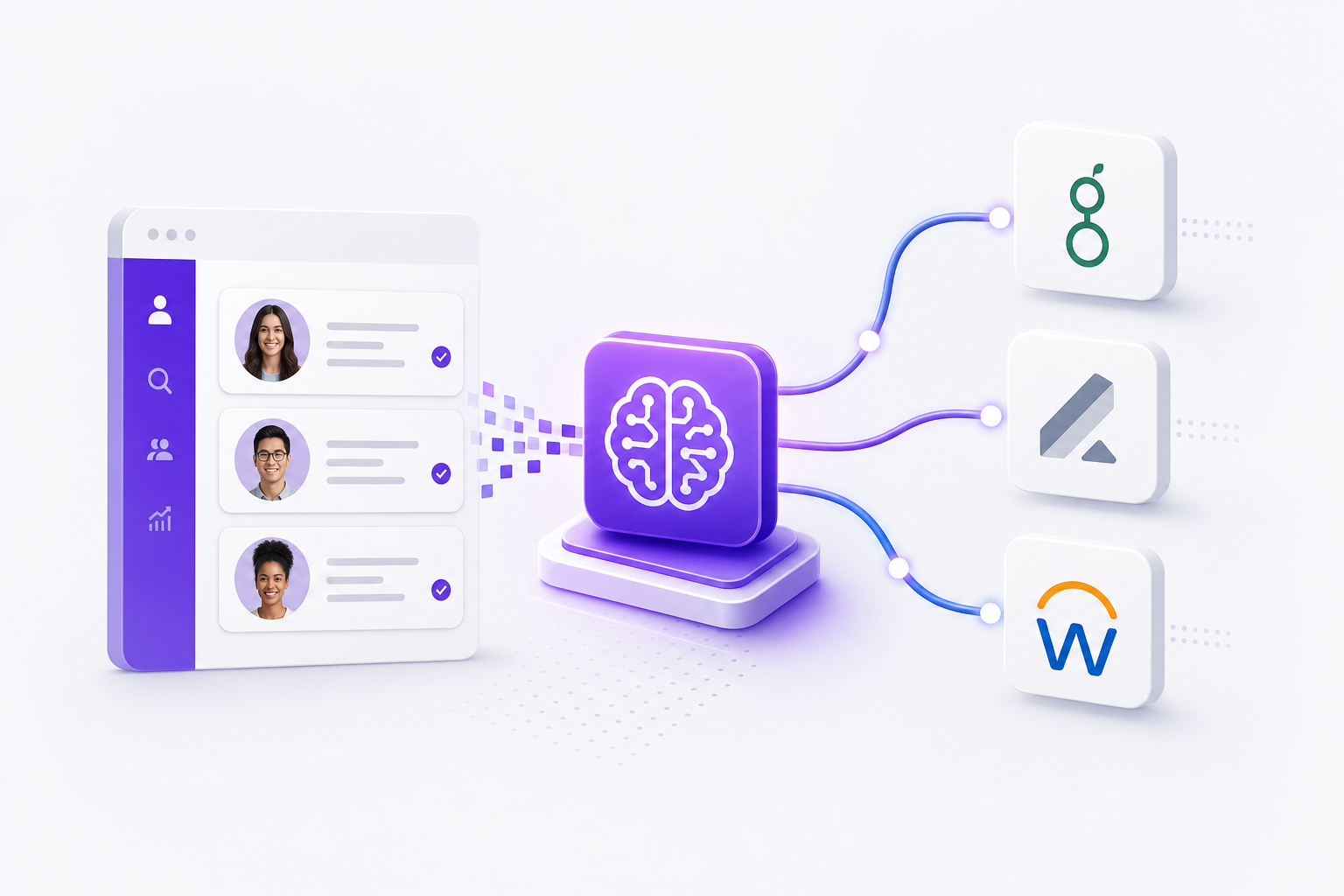
A proper ATS integration closes that gap. Candidates sourced and enriched in your AI tool push directly into your ATS as prospects or leads, with contact data, sourcing notes, and stage information already populated. Your pipeline stays clean, your team works in one place, and nothing falls through the cracks when someone is out sick or moves to a different role.
There's a secondary benefit worth mentioning: reporting. When sourcing data lives in your ATS, you can track source-of-hire accurately—not just which tools produce candidates, but which ones produce hires. That distinction matters when you're making the case for budget.
How AI Sourcing Tool Integrations Generally Work
Before getting into specific platforms, it helps to understand the mechanics. Most AI sourcing tools connect to an ATS through one of three methods.
Native integration means the sourcing tool has a pre-built connector to the ATS. You authenticate once, map your fields, and the connection is live. It's the fastest to set up and the most reliable to maintain, because the vendor handles compatibility when either system updates.
API integration means the sourcing tool uses the ATS's published API to push and pull data. More flexible, and capable of handling custom field mapping—but it usually requires some technical configuration. For teams without a developer, that can be a real barrier.
CSV export and import is the manual fallback. Export a file from your sourcing tool, import it into your ATS. It works, but it's not a real integration. Version control problems, manual scheduling, and the constant risk that someone forgets to run the export.
For most recruiting teams, native integration is the right target. Least ongoing effort, least likely to break quietly.
Integrating With Greenhouse
Greenhouse is one of the most integration-friendly ATS platforms out there. It exposes a well-documented API and has a large ecosystem of sourcing tools that connect to it natively.
What the integration typically covers
When an AI sourcing tool connects to Greenhouse, the standard data flow pushes candidates in as prospects attached to a specific job. The profile includes name, contact details, LinkedIn URL, and any notes or tags from the sourcing session. The candidate lands in the pipeline at the Prospect stage, ready for a recruiter to advance or reject.
Some integrations also pull job requisitions from Greenhouse into the sourcing tool, so you can search against a live role without re-entering the job description manually.
What to configure before you connect
Map your fields before you flip the switch. Greenhouse uses a specific field structure, and if your sourcing tool generates custom data—AI summaries, match scores, sourcing notes—you need to decide where those land. Dumping everything into a notes field works, but structured fields are searchable and reportable.
Set up source tracking from day one. Greenhouse lets you tag candidates by source, and you want AI-sourced candidates tagged correctly so your source-of-hire reporting is accurate later.
Also confirm your duplicate handling. If a candidate already exists in Greenhouse from a previous application or sourcing effort, most integrations will flag the duplicate rather than creating a second record. Verify that behavior before you push your first batch.
Permissions and compliance
Greenhouse's API uses scoped permissions. Make sure the sourcing tool only requests what it actually needs—typically write access to prospects and read access to jobs. There's no reason to grant access to offer data or compensation fields.
For GDPR, confirm that candidate data sourced in Europe is handled according to your data processing agreements. Greenhouse supports GDPR workflows, but the sourcing tool also needs to be compliant at the point of collection. Compliance doesn't transfer automatically between systems.
Integrating With Lever
Lever's architecture is built around a unified candidate record, which makes integration behavior slightly different from Greenhouse. There's no hard distinction between a prospect and an applicant at the data level—every person is a contact, moving through stages.
What the integration typically covers
A sourcing tool integration with Lever pushes candidates as opportunities attached to a specific posting. The opportunity includes contact information, sourcing notes, and the source tag. Lever's API is well-documented and supports webhooks, which means some integrations can trigger actions in real time rather than on a scheduled sync.
One practical advantage of Lever's model: you can see a candidate's full history across roles. If someone was sourced for a previous position and didn't move forward, that context is visible when they surface again in a new search—useful when your AI sourcing tool returns profiles you may have touched before.
What to configure before you connect
Lever uses a concept called "origin" to track how a candidate entered the pipeline. Make sure your sourcing tool sets this correctly so you can distinguish AI-sourced candidates from inbound applicants in your reports.
Lever also supports custom fields at the opportunity level. If your sourcing tool generates a candidate summary or a match score, push that into a custom field rather than the notes section. It stays visible in the Lever interface without cluttering the record.
Stage mapping
Decide which Lever stage AI-sourced candidates land in. Most teams use a "Sourced" or "Prospect" stage at the top of the pipeline. Avoid pushing candidates directly into a later stage like "Phone Screen" unless a recruiter has already reviewed them. Keeping sourced candidates in a distinct early stage makes pipeline hygiene much easier to manage.
Integrating With Workday
Workday is a different category of system. It's an enterprise HCM platform, not a purpose-built ATS, and its integration behavior reflects that. Expect more complexity, IT involvement, and stricter data governance requirements.
What the integration typically covers
Workday Recruiting accepts candidate data through its integration framework—a combination of APIs and Workday's own tooling (Workday Studio, EIB, or the REST API). For most sourcing tool vendors, the connection runs on Workday's REST API or through a middleware layer.
The data flow is similar to Greenhouse and Lever: candidates push into Workday as applicants or candidates attached to a requisition, with contact details, sourcing notes, and source tracking included.
What makes Workday integrations harder
Workday's permission model is more granular and more restrictive than most ATS platforms. Your IT or HRIS team will need to configure an integration system user with the right security groups. This is not a self-serve setup—budget time for IT involvement before you start.
Field mapping is also more rigid. Workday has required fields that must be populated for a candidate record to save, and custom fields require configuration by a Workday admin. If your sourcing tool generates data that doesn't map cleanly to Workday's schema, resolve that before the integration goes live.
Testing matters more here than with other systems. Run a full end-to-end test with a small batch of candidates in a sandbox environment before pushing to production. Workday errors can be cryptic, and catching mapping problems early saves significant debugging time later.
When to use CSV export as a bridge
For teams on Workday where a native integration isn't available—or isn't worth the IT investment given their sourcing volume—a structured CSV export can work as a practical bridge. Export from your sourcing tool in a format that matches Workday's import template and import on a scheduled cadence. Not elegant, but reliable and auditable.
What to Look for in an AI Sourcing Tool's ATS Integration
Not all integrations are equal. When evaluating whether a sourcing tool's ATS integration is actually useful, ask these questions.
How many systems does it support? A tool that integrates with five ATS platforms is fine if yours is one of them. A tool that supports 50+ systems is more likely to cover your current ATS and any future migration. Kalent supports 50+ ATS systems as an add-on, which covers the breadth most recruiting teams need.
Is it native or API-dependent? Native integrations maintained by the vendor are more stable. API-dependent integrations that require your team to manage credentials and field mapping are a maintenance burden over time.
What data flows in both directions? The best integrations are bidirectional—candidates push from the sourcing tool into the ATS, and job requisitions pull from the ATS into the sourcing tool. One-way integrations that only push candidates are useful but incomplete.
How does it handle duplicates? Duplicate records are one of the most common ATS hygiene problems. Confirm the integration has a deduplication check before you connect it.
What happens to enriched data? If your sourcing tool generates AI summaries, verified phone numbers, or match scores, confirm those fields map to something useful in your ATS—not a generic notes dump.
ATS Integration as Part of a Broader Sourcing Workflow
The integration question is really a workflow question. The goal isn't just moving data between systems—it's building a sourcing-to-pipeline process that doesn't require manual intervention at every step.
A well-designed workflow looks like this: a recruiter describes the ideal candidate in plain language, the AI sourcing tool returns enriched profiles with verified contact details, the recruiter shortlists the best matches, outreach goes out automatically across the right channels, and interested candidates push directly into the ATS with all their data intact.
The integration is the last step in that chain, but it's what makes the whole chain trustworthy. Without it, you're back to copying and pasting, and the efficiency you gained in sourcing evaporates in data entry.
For teams managing multiple open roles at once, this matters even more. When every sourced candidate flows into the ATS automatically, pipeline visibility is accurate in real time. Hiring managers see a live view of sourcing progress. Recruiters aren't manually updating records. And source-of-hire data is clean enough to actually use in quarterly reviews.
FAQs
Does every AI sourcing tool integrate with Greenhouse, Lever, and Workday?
No. Integration coverage varies significantly by vendor. Before committing to a sourcing tool, confirm it supports your specific ATS and ask whether the integration is native or API-dependent. Some tools support 50+ ATS systems; others cover only a handful.
Is ATS integration included in most sourcing tool pricing plans?
Often not. Many platforms, including Kalent, offer ATS integration as an add-on rather than including it in base plans. Check the pricing details for your specific plan before assuming it's included.
How long does it take to set up an integration with Greenhouse or Lever?
For native integrations, setup typically takes less than an hour once you have API credentials and have mapped your fields. Workday integrations take longer due to IT involvement and stricter permission requirements.
What data should I map from my sourcing tool into my ATS?
At minimum: name, email, phone number, LinkedIn URL, the job they were sourced for, and the source tag. If your tool generates AI summaries or match scores, map those to a custom field so they're visible and searchable in your ATS.
Can I use CSV export instead of a native integration?
Yes, and it works well enough for low-volume sourcing or for ATS platforms where native integration isn't available. The tradeoff is manual scheduling, version control risk, and no real-time sync. For teams sourcing more than a few dozen candidates per week, a native integration is worth the setup effort.
Will integrating a sourcing tool with Workday require IT involvement?
Almost always. Workday's permission model requires an integration system user configured by a Workday admin or HRIS team. Self-serve setup is not typical.
How does ATS integration affect GDPR compliance for European candidates?
Both the sourcing tool and the ATS need to be compliant at their respective stages. Confirm that your sourcing tool handles consent and data residency correctly at the point of collection, and that your ATS data processing agreements cover the candidate data being pushed in. Compliance doesn't transfer automatically between systems.
Build the Connection Before You Need It
The worst time to configure an ATS integration is when you're already behind on a hiring deadline. Set it up during a quieter period, test it with a small batch, and confirm the data lands correctly before you rely on it for a live role.
Once it's working, the sourcing workflow becomes genuinely end-to-end. You find candidates, enrich their profiles, reach out through the right channels, and the interested ones appear in your ATS pipeline without anyone manually moving data. That's the version of AI-assisted recruiting that actually saves time.
If you're evaluating AI sourcing tools with strong ATS integration options, Kalent is worth a look. The platform covers 200M+ profiles across Europe and the US, supports multi-channel outreach on the Copilot plan, and connects to 50+ ATS systems as an add-on.
