
X-Ray Search on LinkedIn: How It Works in 2026
This article explains exactly how x-ray search works on LinkedIn in 2026 — which operators return useful results, where the technique breaks down, and how to fit it into a sourcing workflow that does not depend on a single channel.
- What X-Ray Search on LinkedIn Actually Means
- Why Recruiters Use X-Ray Search in 2026
- How to Build an X-Ray Search Query for LinkedIn
- What X-Ray Search Cannot Do
- Practical X-Ray Search Operators That Work in 2026
- Using Bing for X-Ray Search
- The Contact Gap: What Happens After You Find a Profile
- X-Ray Search as Part of a Multi-Channel Sourcing Workflow
- Common Mistakes That Reduce X-Ray Search Results
- When X-Ray Search Makes Sense — and When It Does Not
- FAQs
- Putting It Together
What X-Ray Search on LinkedIn Actually Means
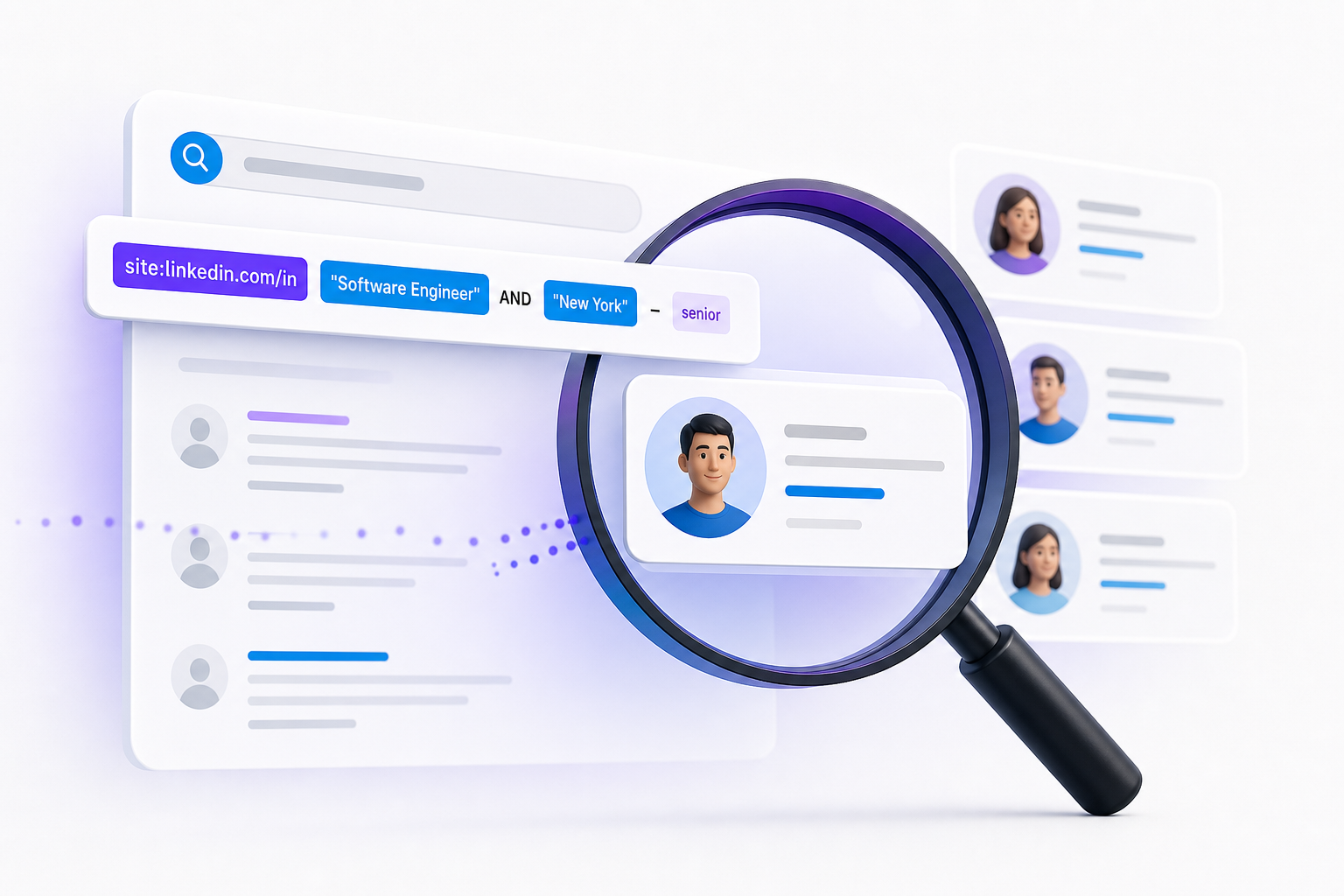
X-ray search means using a search engine — most commonly Google — to query a specific website's publicly indexed pages. Instead of searching inside LinkedIn's interface, you send a query to Google that tells it to return results only from linkedin.com.
The core syntax looks like this:
site:linkedin.com/in "job title" "location"
Google has indexed millions of public LinkedIn profiles. Because LinkedIn controls what its own search shows you based on your account type, connection degree, and subscription tier, Google's index regularly surfaces profiles that LinkedIn's native search would rank below page 10 or hide entirely.
This is not a workaround for anything paid. X-ray search only returns what LinkedIn has made publicly visible to search engines. It is a different lens on the same public data — not a method for accessing private profiles.
Why Recruiters Use X-Ray Search in 2026
The most common trigger is LinkedIn Recruiter's InMail cap. Once you exhaust your monthly allocation, you still have open requisitions and no direct way to contact new candidates through the platform. X-ray search lets you keep finding profiles and reach candidates through other channels.
Three other reasons recruiters use this technique regularly:
- Degree restrictions. LinkedIn's native search deprioritises third-degree connections in many results. X-ray search has no concept of connection degree.
- Profile visibility settings. Some users set their profiles to appear in search engines but restrict their visibility inside LinkedIn's own search.
- Cost. A LinkedIn Recruiter seat runs several thousand dollars per year. X-ray search on Google is free.
The limitation is real, though. You get a name and a profile URL. You do not automatically get a phone number, an email address, or any way to contact that person outside of LinkedIn. That gap matters, and we will come back to it.
How to Build an X-Ray Search Query for LinkedIn
The Basic Structure
Every x-ray query for LinkedIn profiles starts with the site operator:
site:linkedin.com/in
The /in/ path restricts results to individual profile pages rather than company pages, job listings, or LinkedIn articles. Without it, your results will include a lot of noise.
From there, add terms inside quotation marks to require exact matches:
site:linkedin.com/in "software engineer" "Berlin"
Adding Boolean Operators
Google supports a subset of Boolean logic. The operators that work reliably in 2026 are:
- AND (implicit, or written explicitly): both terms must appear
- OR: either term can appear — write it in capitals
- Minus sign (-): excludes a term
- Quotation marks: requires an exact phrase match
A practical query for a senior product manager in Paris with SaaS experience might look like this:
site:linkedin.com/in "product manager" "Paris" ("SaaS" OR "B2B") -"junior"
The parentheses group the OR logic. The minus sign removes profiles that mention "junior." The quoted phrases enforce exact matches.
Targeting Specific Skills or Certifications
If you need a candidate with a specific tool or certification, add it as a quoted phrase:
site:linkedin.com/in "data engineer" "London" "dbt" "Snowflake"
This returns profiles where both tools appear in the indexed text — skills sections, project descriptions, summary copy, wherever LinkedIn has exposed it to Google.
Narrowing by Current Role
Google does not have a native filter for "currently employed at." You can approximate it by including the word "current" or by targeting the phrasing LinkedIn uses in profile summaries:
site:linkedin.com/in "head of finance" "Amsterdam" "current"
This is imprecise. Some profiles use "current" in past-tense descriptions. Treat it as a noise reducer, not a clean filter.
What X-Ray Search Cannot Do
Understanding the limits is as important as understanding the technique.
It cannot show you private profiles. If a LinkedIn user has opted out of search engine indexing, Google has not crawled it. No query will surface it.
It cannot give you contact details. A Google result for a LinkedIn profile shows you the person's name, headline, and a snippet of their summary. No email address. No phone number. Finding the profile is step one. Reaching the person is a separate problem entirely.
It cannot filter by recency. Google's index of LinkedIn profiles is not updated in real time. A profile appearing in results may not reflect the person's current role.
It does not scale. If you are running 10 open requisitions simultaneously, manually constructing x-ray queries for each one and then individually tracking down contact details is not a workflow. It is a tactic.
Practical X-Ray Search Operators That Work in 2026
A reference set of query patterns that produce reliable results:
Find profiles by role and city:
site:linkedin.com/in "marketing director" "Lyon"
Find profiles with multiple required skills:
site:linkedin.com/in "machine learning engineer" "Python" "PyTorch" "remote"
Find profiles at a specific company:
site:linkedin.com/in "account executive" "Salesforce" "New York"
Exclude a seniority level:
site:linkedin.com/in "UX designer" "Barcelona" -"intern" -"junior"
Target a specific industry with role:
site:linkedin.com/in "supply chain manager" ("automotive" OR "manufacturing") "Stuttgart"
Find profiles mentioning a language skill:
site:linkedin.com/in "customer success" "French" "English" "Brussels"
One practical note: Google limits site: searches to roughly 100 results before it starts returning duplicates or low-relevance pages. If your query returns more than you can use, narrow it. If it returns fewer than 10, broaden the location or remove one required phrase.
Using Bing for X-Ray Search
Google is the default, but Bing indexes LinkedIn profiles differently and sometimes surfaces results that Google misses. The syntax is identical:
site:linkedin.com/in "role" "location"
Running the same query on both engines and comparing results takes an extra two minutes. For hard-to-fill roles, that is worth doing. DuckDuckGo also supports the site: operator, though its LinkedIn index is shallower than either Google's or Bing's.
The Contact Gap: What Happens After You Find a Profile
This is where most x-ray sourcing guides stop. It is also where the real problem begins.
A profile with no contact details is a profile you found and cannot reach. LinkedIn InMail is the obvious fallback — but you may have already exhausted your monthly cap. That is often why you were using x-ray search in the first place.
Your options at this point:
- Connect request with a note. Free, but capped at 200 characters and subject to LinkedIn's connection request limits.
- Find the email manually. Pattern-matching against the company domain (firstname.lastname@company.com) is a common approach, but it requires knowing the company's email format and then verifying the address.
- Use a contact enrichment tool. These take a name and company and return a verified email or phone number.
The third option is the one that scales. Manual email guessing works for five candidates. It does not work for fifty.
For a closer look at what contact coverage rates actually mean in practice — and why phone numbers matter as much as email addresses — Kalent's guide to candidate contact enrichment covers the mechanics in detail.
X-Ray Search as Part of a Multi-Channel Sourcing Workflow
X-ray search is most useful when it feeds into a workflow that does not stop at finding a name.
The sequence that works in practice:
- Build the query. Define the role, location, required skills, and any exclusions.
- Run the query on Google and Bing. Collect profile URLs.
- Enrich the profiles. Match names and companies against a contact database to retrieve verified phone numbers and email addresses.
- Reach out across multiple channels. Email is the foundation. Phone and WhatsApp increase reply rates significantly for passive candidates who are not monitoring their LinkedIn inbox.
The friction point is step three. Manual enrichment is slow, and most recruiters do not have a reliable way to do it at volume without a dedicated tool.
This is exactly the problem Kalent addresses. You describe your ideal candidate in plain language, and Kalent matches that description against a database of 200 million or more profiles across Europe and the United States. Enriched profiles come back with approximately 80 percent mobile phone and email coverage on surfaced results. From there, the platform's conversational outreach agent handles contact across LinkedIn, email, SMS, and WhatsApp — all from a single workflow.
The difference between x-ray search and a platform like Kalent is not that one is better in absolute terms. X-ray search is a free manual technique. Kalent is a structured system. If you are managing five or more open roles simultaneously, the manual approach will cost you more in time than the tool costs in money.
For context on how multi-channel outreach sequences compare across channels, this breakdown of candidate contact automation covers what works and what does not across LinkedIn, email, and WhatsApp.
Common Mistakes That Reduce X-Ray Search Results
Using too many required phrases. Every quoted phrase is an AND condition. Four or five required terms in a single query will often return zero results — not because the candidates do not exist, but because their profiles use slightly different wording. Remove one phrase at a time until results appear.
Not accounting for language variation. "Software engineer," "software developer," and "développeur logiciel" all describe the same role. If you are sourcing in a multilingual market, run separate queries for each language variant.
Ignoring the snippet. Google's result snippet shows you a few lines of the indexed profile text. Read it before clicking through. It tells you whether the profile is worth opening.
Treating x-ray results as a complete picture. You are seeing a subset of LinkedIn's public profiles as indexed by Google. Profiles set to private, recently updated profiles that have not been re-indexed, and profiles with minimal text will not appear. X-ray search complements other sourcing methods. It does not replace them.
When X-Ray Search Makes Sense — and When It Does Not
X-ray search is the right tool when:
- Your LinkedIn Recruiter InMail cap is exhausted and you need to keep sourcing
- You are looking for candidates in a specific geographic market and want to avoid LinkedIn's degree-based ranking
- You want to source without paying for a premium tool on a one-off search
- You are testing a new role or market before committing to a larger sourcing investment
It is the wrong tool when:
- You are running multiple simultaneous mandates and need volume
- You need verified contact details quickly
- You are sourcing in markets where LinkedIn penetration is low — parts of continental Europe, for example, where XING or local job boards have stronger coverage
- You need to track outreach history, reply rates, or pipeline status
For anything beyond occasional manual sourcing, the time cost adds up fast. This breakdown of contact enrichment coverage rates explains why phone and WhatsApp data matter as much as email when you are trying to reach passive candidates who are not actively monitoring LinkedIn.
FAQs
What is x-ray search on LinkedIn?
X-ray search on LinkedIn is the practice of using Google or another search engine to query LinkedIn's publicly indexed profile pages directly, bypassing LinkedIn's own search interface. The standard syntax uses the site:linkedin.com/in operator combined with quoted phrases for role, location, and skills.
Is x-ray search on LinkedIn legal?
X-ray search returns only publicly visible information that LinkedIn has allowed search engines to index. It does not access private profiles or bypass any authentication. It is a standard web search technique. What you do with the information you find is subject to applicable data protection rules in your jurisdiction.
Why does x-ray search sometimes return no results?
The most common cause is too many required phrases. Each quoted phrase is an AND condition, so four or five required terms will often return zero results. Remove one phrase at a time until results appear. Also confirm you are using site:linkedin.com/in with the /in/ path — not just site:linkedin.com.
How is x-ray search different from LinkedIn Recruiter?
LinkedIn Recruiter is a paid subscription that gives you access to LinkedIn's full search interface, InMail credits, and saved search alerts. X-ray search is free and uses Google's index of public LinkedIn profiles. LinkedIn Recruiter shows you more data per profile and allows direct InMail contact. X-ray search has no InMail cap but gives you no contact details beyond the profile URL.
Can x-ray search find candidates who are not visible in LinkedIn Recruiter?
Yes, in some cases. LinkedIn's native search prioritises profiles based on connection degree, activity, and other factors. Google's index does not apply those filters. Some profiles that rank low in LinkedIn's own search will appear in Google results for the same query.
What do I do after I find a profile through x-ray search?
You have the profile URL and the person's name and headline. To contact them, you need either a LinkedIn connection or their direct contact details. Manual email pattern-matching works at small scale. At volume, a contact enrichment tool that returns verified phone numbers and email addresses is the more practical path.
Does x-ray search work for sourcing candidates outside the US?
Yes. X-ray search works wherever LinkedIn has public profiles indexed by Google. It is particularly useful for European sourcing, where LinkedIn Recruiter's results can be less comprehensive than in the US market. Combine it with local-language query variants for better coverage in non-English markets.
Putting It Together
X-ray search on LinkedIn is a genuine sourcing technique — not a workaround or a trick. It gives you access to a different slice of public profile data than LinkedIn's own interface shows, costs nothing, and works immediately. Its limits are equally real: no contact details, no scale, no tracking.
The recruiters who get the most from it treat it as one input into a broader sourcing workflow, not a standalone method. Find the profiles, enrich the contact data, reach out across the channels where passive candidates actually respond. That sequence is where time-to-interview actually shrinks.
If you want to see how that full workflow operates in a single tool, kalent.ai offers a platform demonstration.
