
Finding recruitment emails: reliable, GDPR-compliant methods
Find candidate emails through research, direct outreach and enrichment, then scale a GDPR-compliant process with Kalent.

To find candidate emails, combine three approaches: manual research (company pattern, Google queries, public profiles), asking the candidate directly, and verified waterfall enrichment for larger volumes. Every step must comply with the GDPR, with the candidate informed from the first contact. An integrated platform like Kalent lets you industrialise this process without sacrificing compliance.
In short:
- Finding candidate emails relies on professional methods such as waterfall enrichment, which makes sense for more than ten profiles per week.
- GDPR compliance requires informing the candidate and documenting every email collection from the first contact, with a preference for legitimate interest or consent as the legal basis.
- Technical verification of an email before sending should include an SMTP check to limit bounces and protect the sender's reputation.
- Using an integrated tool centralises management, traceability and automatic purging of contacts, which is essential beyond a few hires per week.
- The Kalent platform offers an automated solution at scale, with a 60 % access rate to personal emails across more than 200 million profiles, while guaranteeing GDPR compliance.
Table of contents
- How to find recruitment emails step by step
- Which GDPR rules apply to email sourcing?
- How to verify an email before contacting a candidate?
- Which tool to choose for your hiring volume?
- Perspective: the mistakes that cost time and compliance
- Automating email sourcing without sacrificing compliance
- Sources
- Frequently asked questions
How to find recruitment emails step by step
Sourcing candidate emails follows a logic of scale: the more the volume grows, the more professional the method must become. Here are the approaches, ranked from the most manual to the most automated.
1. Work out the company pattern. Most companies use a predictable format: firstname.lastname@company.com, f.lastname@company.com, or initial.firstname.lastname@company.fr. Spotting a known email at the company (in a signature, a press release or a "contact" page) often lets you rebuild the format for another employee.
2. Use advanced Google queries. Combinations such as site:linkedin.com "responsable RH" "entreprise X" or "@entreprise.com" contact sometimes surface addresses published on directory pages, online CVs or press releases. "Contact details" pages and email signatures remain valid sources to work out a pattern or find a public address.
3. Explore public profiles. LinkedIn sometimes shows an address in the "contact info" section, although this information is less and less available without a mutual connection.
4. Ask directly, or go through a mutual contact. A short message works better than a generic email:
- "Hi [First name], I'm working on an opportunity that might interest you. May I write to you directly at your personal address?"
- "[Mutual contact] suggested I get in touch with you about a [job title] role. Which address would you prefer to discuss it?"
5. Waterfall enrichment. To go beyond the one-off case, this method queries several data providers in sequence from a single input: the URL of the candidate's LinkedIn profile. If the first provider returns nothing, the request automatically moves on to the next one, until it gets a verified email. The main advantage lies in the kind of email found: unlike the company pattern, which only gives a work address, the waterfall often surfaces the candidate's personal email, with a clear engagement advantage as a result.
Pro tip: Always keep the LinkedIn profile URL in your CSV exports. Without it, no enrichment tool can match a profile to an address, and you lose the traceability you need if the candidate makes an access request.
Which GDPR rules apply to email sourcing?
Copying or saving an address found online already triggers GDPR obligations, even without sending an email. The recruiter must inform the person concerned and document the legal basis chosen for this processing, as L'École du Recrutement points out in its guide to GDPR rules in recruitment.
Two legal bases coexist in practice. Legitimate interest generally covers prospecting candidates for a specific role, provided you can justify that the approach is proportionate. Consent becomes necessary to build a talent pool kept over time, outside any immediate need.
The GDPR checklist to apply to every email collection fits in a few points:
- Inform the person at the first contact (article 13 or 14 depending on where the data comes from).
- State where the data comes from, the purpose of the contact and the identity of the data controller.
- Document the legal basis chosen and the planned retention period.
- Allow the exercise of the rights of access, rectification and erasure.
Key benchmark: a retention period is generally accepted for a profile added to a talent pool after the last contact, subject to prior information, according to the benchmarks compiled by DonnéesPersonnelles.fr.
Using a simple work mailbox as the main management tool raises a structural problem: it allows neither reliable traceability, nor automatic purging, nor separation of access between recruiters. The CNIL recruitment framework explicitly recommends using a dedicated tool for these reasons.
How to verify an email before contacting a candidate?
An address you found is never a guaranteed address. Before any send, a four-step workflow limits bounces and protects your sender reputation.
- Collect the source data. Gather the candidate's LinkedIn profile URL, full name and current company, the basis of any reliable enrichment.
- Enrich via waterfall. Submit these details to an enrichment tool that queries several databases in sequence until it gets a verified match.
- Technically verify the address. An SMTP check queries the mail server directly to test whether the address would accept a message, without actually sending it. This step differs from the third-party database verification of the waterfall, which returns an already validated link between profile and address rather than testing the server live.
- Send a personalised test message, then track the basic metrics: open rate, click rate, reply rate.
Schedule a follow-up at D+3 or D+4 if the message gets no reply, then a second one at D+7 at the latest, before considering the channel exhausted.
Pro tip: Keep a written record (date, channel, information notice sent) for each contact. That proof is what protects you if the candidate requests access or erasure.

When an address remains impossible to find or unverified after these steps, switch to a direct request via LinkedIn or a mutual contact rather than sending blind.
Which tool to choose for your hiring volume?
Choosing a tool depends less on the brand than on the volume to handle and the level of GDPR compliance expected. Four categories cover most needs:
- Free manual methods: pattern, Google search, public profiles. Useful for a one-off need, but a limited success rate that does not hold up beyond a few profiles per week.
- Browser extensions: fast for one-by-one enrichment during a sourcing session, without centralised traceability.
- Dedicated enrichment tools (email finders): effective for batches of profiles, often billed per credit or per success, which avoids paying for a failure.
- Integrated platforms: combine profile search, enrichment, verification and multichannel outreach in a single traceable environment.
Four criteria should guide the decision: the accuracy of the matches obtained, built-in compliance (GDPR notices, automatic purging), integration with your existing ATS, and the real cost per valid email rather than per attempt.
Switching to an integrated platform makes sense as soon as volume exceeds about ten profiles per week, or as soon as several recruiters work on the same talent pool. The real gain lies in centralisation: a single source of traceability, scheduled purging, and no more risk from exports scattered across several personal mailboxes.
Perspective: the mistakes that cost time and compliance
The most common mistake is still mass sending without prior verification, which damages the deliverability of the whole sending domain for weeks. The second, more subtle one is leaving out the GDPR information notice at the first contact: it looks minor, but it is precisely what exposes the recruiter in the event of an audit.
The shortcut that really works: always keep the LinkedIn URL in every export, and favour the direct request as long as the volume stays manageable. Automation makes sense for volume, never as an excuse to sacrifice the personalisation of the first message.
Jules
Automating email sourcing without sacrificing compliance
Kalent is the alternative to manually rebuilding addresses for recruiters who handle several dozen profiles per week: the platform gives access to more than 200 million qualified profiles in Europe and the United States, with a 60 % access rate to personal emails, the ones that generate the best candidate engagement.
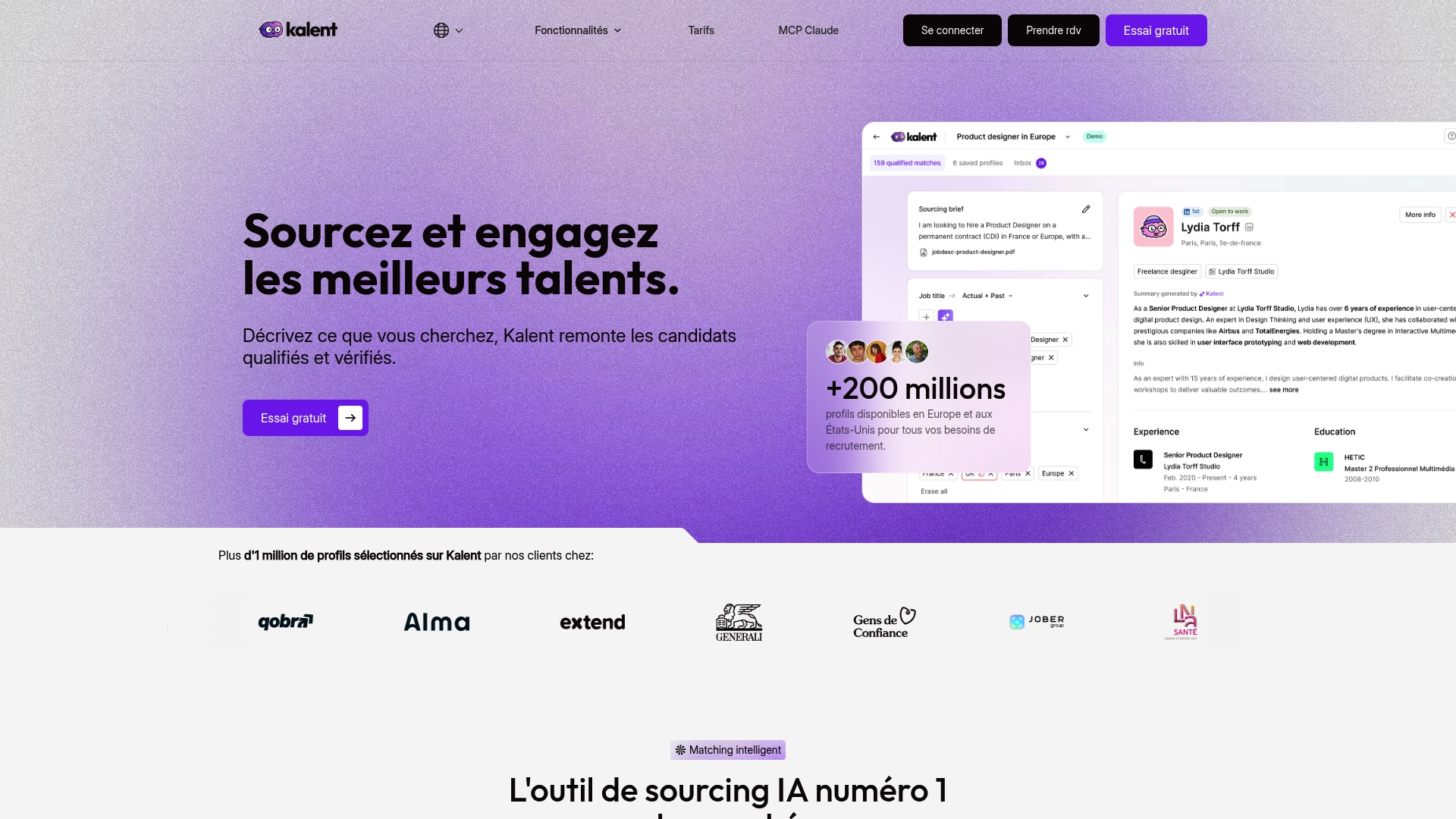
In practice, Kalent centralises what this article has just detailed step by step: contact data enrichment, verification, and automated outreach via LinkedIn, email and WhatsApp, while cutting sourcing time by about half. For an agency or HR team managing several talent pools in parallel, the enterprise use case shows how traceability and separation of access are organised natively, without relying on a shared mailbox. The talent search engine also lets you filter profiles directly by your criteria before you even start enrichment.
Check the pricing or request a trial to assess the real gain on your current hiring volume.
Sources
- Datablist: Finding a candidate's personal email
- CNIL: Recruitment framework
- DonnéesPersonnelles.fr: GDPR in recruitment (practical guide)
This article is general information and does not replace the advice of a qualified lawyer. Consult a qualified legal professional about your personal situation before acting on this content.
Frequently asked questions
Is it legal to find a candidate's email online?
Yes, but collecting and using that address triggers GDPR obligations: you must inform the person at the first contact and document the legal basis chosen.
What is the best method to find a recruitment email?
For a one-off need, a direct request or the company pattern is enough. For volume, waterfall enrichment from a LinkedIn URL gives the best success rates, especially for finding a personal email.
Should you favour a candidate's personal or work email?
A personal email tends to generate better reply rates, because it allows a confidential exchange away from the current employer's eyes.
How do you check that an email you found is valid before sending?
An SMTP check queries the target mail server without sending a real message, while a waterfall tool directly returns an email already validated across several third-party databases.
Can Kalent replace manual email sourcing methods?
Kalent automates enrichment and verification at scale, with access to 60 % of personal emails across its database of more than 200 million profiles, which becomes relevant as soon as manual volume becomes unmanageable.


