
How to import candidates into an application management tool
Import candidates into your tool: use a mapped CSV, test on a sample, check GDPR compliance and avoid duplicates.

To import applications without errors, prepare a CSV file with a clear mapping between your columns and the target fields, test the import on a small sample, then check GDPR compliance before the final switchover. This method avoids duplicates, missing fields and encoding-related blockers. For recruiters handling large volumes, automatic profile enrichment through a tool like Kalent can cut a good share of manual data entry.
In short:
- An application migration should start with a test on a small sample to check column alignment and avoid import errors.
- The CSV format remains the most reliable method for a bulk import, provided you use UTF-8 encoding and a semicolon separator.
- GDPR compliance and good data management practices should be built in from the preparation stage, by limiting sensitive data and setting a clear retention period.
- A precise validation protocol, including checks for duplicates and preserved statuses, ensures a safe migration with no impact on the production database.
- Automation through tools like Kalent makes automatic profile enrichment easier, significantly reducing manual data entry and improving the quality of imported data.
Table of contents
- Which export formats to use and where applications come from
- How to build a CSV mapping file and clean the data
- Step-by-step procedure to import a candidate file into an ATS
- GDPR checks and quality control before and after import
- Test plan to run and acceptance criteria before switchover
- How Kalent helps automate enrichment and mapping before import
- The author's perspective on governing the import project
- Automate the import and enrichment of your candidates with Kalent
- Sources
- Frequently asked questions
Which export formats to use and where applications come from
Three formats dominate most migrations: CSV, PDF and XLSX.
CSV remains the most reliable format for a bulk import, because it structures data in columns that any system can read. PDF suits individual CVs but handles batch processing poorly: the text is often badly structured, which makes automatic extraction harder. XLSX keeps formatting but sometimes generates data type errors during import (dates, numbers, merged cells).
Applications come from a variety of sources, each with its own export constraints:
- Searches run on LinkedIn Recruiter let you import a single candidate or a file grouping several profiles into a project.
- Career forms on your website often generate native CSV exports, ready to be mapped.
- Applications received by email require manual sorting before any import, because they have no consistent structure.
How to build a CSV mapping file and clean the data
A mapping file links your raw data to the fields expected by the target tool. It works as a contract between business teams and technical teams, a practice recommended by ATS migration guides.
- List each source column (name, email, phone, target position, status) next to the matching target field in the tool.
- State the expected type for each field: text, date, dropdown list, number.
- Mark required fields distinctly from optional fields.
- Plan a column for custom fields specific to your organization, when the target tool accepts them.
UTF-8 encoding avoids problems with accents and special characters, a point the technical import specifications of ATS vendors regularly stress, with a semicolon separator rather than a comma. Dates are best standardized to the DD/MM/YYYY format before sending.
Pro tip: systematically archive applications older than two years before the import rather than migrating them, to keep a clean talent pool from the start.
Step-by-step procedure to import a candidate file into an ATS
The import runs in five stages, each validated before moving on to the next.
- Export a small batch of candidates from the source (10 to 20 profiles) to build a test file.
- Import this batch into the target tool's test environment, without touching the production database.
- Check that each column lined up correctly with the expected field, with no offset or truncation.
- Fix the errors you found: misnamed headers, duplicate records, broken encoding.
- Run the bulk import once the mapping is validated on the sample.
The most frequent errors involve duplicates (the same candidate who applied to two different job offers), column headers that do not exactly match the name expected by the tool, and badly encoded characters that turn accents into unreadable symbols. Technical import documents also point out that a bulk import does not always automatically include attachments: a separate strategy for PDF CVs is often needed.
Also remember to link each application to the matching job offer and to keep its progress status (shortlisted, interviewing, rejected) so you do not start tracking from scratch.

GDPR checks and quality control before and after import
Compliance cannot be improvised at switchover time, and it is important to know the rights and obligations of the employer in temporary work to guarantee that processes are lawful. It is built upstream, from the moment the file is prepared.
- Inform candidates of the nature of the processing and its purpose, as required by the CNIL recruitment guide.
- Apply the data minimization principle: keep only the data useful for recruitment, never unnecessary sensitive information.
- Set a clear retention period for unsuccessful applications, following the CNIL recommendations on personal data in recruitment.
- Restrict access to candidate records to the people involved in the process, with traceability of who viewed them.
The CNIL points out that any recruitment-related processing must comply with the GDPR, with a detailed guide in nineteen fact sheets covering lawfulness, purposes and candidates' rights. This documentation base helps structure an import that remains defensible in the event of an audit.
Test plan to run and acceptance criteria before switchover
Before any final switchover, a structured testing protocol limits unpleasant surprises.
- Build a representative sample of around a hundred profiles, covering different positions and statuses.
- Check data integrity after import: complete fields, accessible attachments, correct statuses.
- Look for duplicates created by the import and compare the number of records before and after.
- Keep the old tool in read-only mode during the coexistence period, a practice recommended by ATS migration plans to secure a rollback if needed.
This protocol provides a concrete safety net: if the gap between the two databases exceeds a reasonable threshold, the switchover stops and the mapping is corrected before a new attempt.
How Kalent helps automate enrichment and mapping before import
A good share of the preparation work can be lightened before the file even reaches the target tool. Kalent enriches candidate records with direct contact details, including mobile numbers and personal emails, which reduces the manual entry usually needed to complete a CSV.
- The platform normalizes contact fields before export, which simplifies mapping to the target tool.
- Automated multichannel sourcing (LinkedIn, email, WhatsApp) limits the time spent collecting missing information.
- Export to an ATS relies on native integrations, with no manual re-entry of fields.
Pro tip: enrich your profiles before export rather than after import, it saves you from fixing the same fields twice.
The author's perspective on governing the import project
A successful candidate import depends less on technique than on governance. The HRIS project manager, the IT department, the data protection officer and the recruitment lead must share the same mapping file before any action, otherwise corrections pile up afterwards. It is also an opportunity to clean up an aging talent pool rather than migrating obsolete data out of habit.
Jules
Automate the import and enrichment of your candidates with Kalent
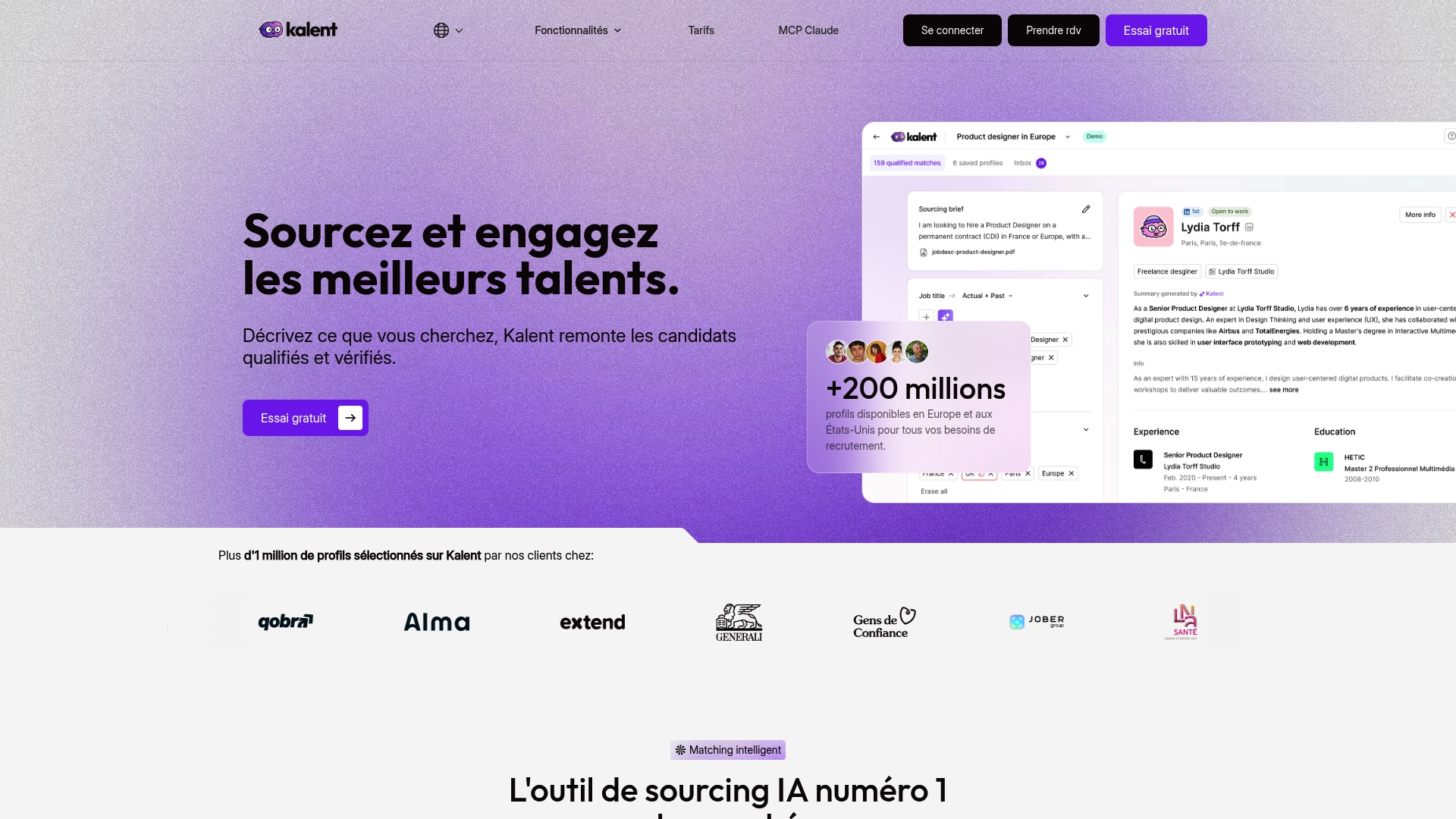
Once the mapping is validated, the slowest part is often completing candidate records with reliable contact details. Some platforms automate this step by giving access to a very large number of enriched profiles in Europe and the United States, with contact details added directly to the records before export. Some platforms also handle multichannel outreach once candidates are imported, which saves you from manually rebuilding mailing lists. See the pricing page to compare the Sourcing and Copilot plans, or book a demo to see the export flow applied to your current tool.
Sources
To go further on compliance and mapping templates, the CNIL offers a GDPR self-assessment questionnaire for recruiters, complementing the practical fact sheets already cited.
- The recruitment guide | CNIL
- Recruitment and personal data in small businesses (TPE/PME) | CNIL
- Import candidates into a project in Recruiter and Recruiter Lite
- Explained: format and completion of the profile import file
Frequently asked questions
What is the best application management tool?
The choice depends mainly on the volume of applications and the integrations already in place in the organization. Tools that accept customizable CSV mapping and offer automatic checks before import do the best job of limiting switchover errors.
Which tool is most useful for tracking applications?
A useful tracking tool keeps progress statuses (shortlist, interview, decision) and clearly links them to each job offer. Access traceability and time-limited retention, as described in the CNIL recruitment guide, are also among the criteria to check.
How can I submit my application?
It depends on the channel chosen by the recruiter: online career form, direct email or a platform like LinkedIn Recruiter. The procedure varies by tool, but the LinkedIn Recruiter documentation, for example, details how a profile joins a project.
How does Kalent work?
Kalent searches and filters qualified profiles among a very large number of candidates available in Europe and the United States, then enriches each record with direct contact details. The platform then automates outreach via LinkedIn, email and WhatsApp, and integrates with recruitment tools to export qualified profiles directly into the pipeline.


