
LinkedIn candidate emails: find and contact the right profiles
Learn to lead with a LinkedIn message, then follow up by verified email: templates, methods and automation to turn candidates into hires.
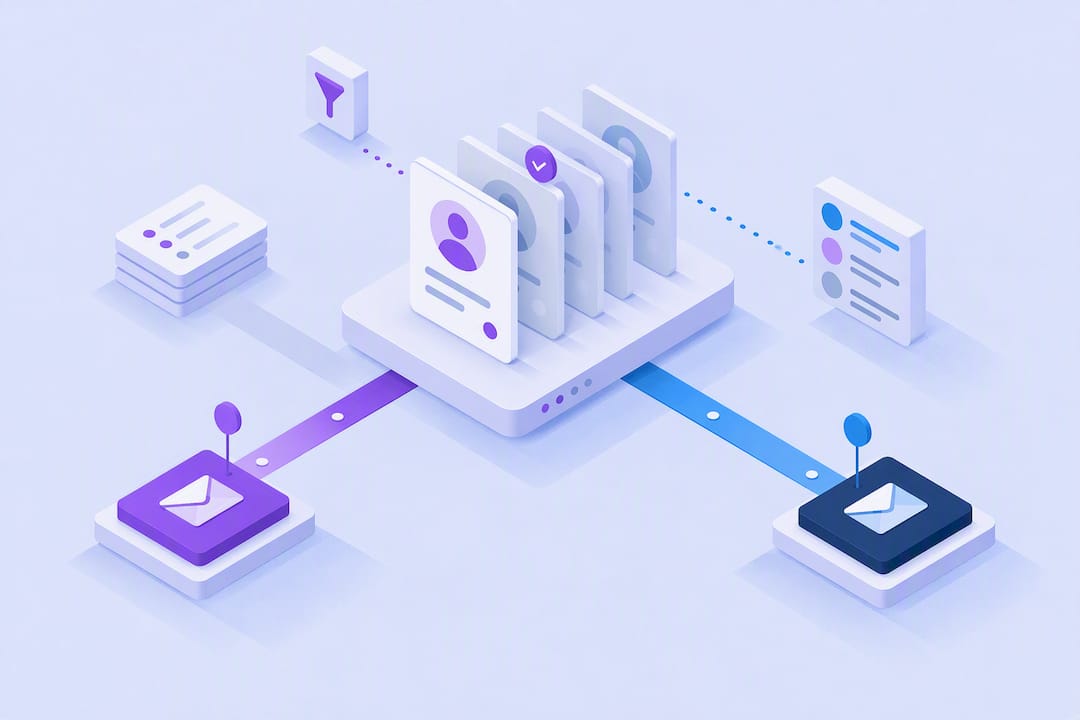
Prioritize personalized LinkedIn outreach first, then switch to a verified email as a follow-up: this is the sequence that works. Start with a connection request or a targeted InMail, allow two to three days for a reply, then move to the candidate's personal or work email if LinkedIn stays silent. The templates, email search methods and automation options below detail each step.
In short:
- The first step is to contact the candidate through a personalized LinkedIn message, followed by an email if no reply comes in after two to three days.
- To improve your chances, favor a message signed by the technical manager rather than by the recruiting team, especially for highly solicited profiles.
- Look for the email address in the "Contact info" and "About" sections or through your LinkedIn connections export, then complete with enrichment tools to maximize recovery.
- Regularly checking that email addresses are still current, and staying GDPR compliant, are essential to limit bounces and respect the law.
- Automating sourcing and outreach through a platform like Kalent can speed up search and follow-up while keeping a high level of personalization.
Table of contents
- LinkedIn message, InMail or direct email: which channel should you choose?
- Where and how to find a candidate's email on LinkedIn?
- Which messages should you send for an effective first contact?
- How to build a multichannel sequence that gets replies?
- How to verify candidate emails and protect your deliverability?
- Automate candidate outreach without losing personalization
- What recruiters most often get wrong about candidate outreach
- Scale up with Kalent without sacrificing personalization
- Sources
- Frequently asked questions
LinkedIn message, InMail or direct email: which channel should you choose?
Each channel serves a different purpose and none really replaces the others. A standard LinkedIn message benefits from the visibility of the candidate's profile: they see your photo, your role and what you have in common before they even open the message. InMail gives you more room to make your case and works even without an existing connection, provided you have a Recruiter or Sales Navigator account. Finally, direct email steps outside the LinkedIn ecosystem and signals a more personal approach, often perceived as more serious by passive candidates.
The choice mostly depends on context:
- Degree of connection: a first-degree contact responds better to a simple LinkedIn message than to a formal InMail.
- Recent LinkedIn activity: a profile that has been inactive for months is better contacted directly by email.
- Sensitivity of the approach: for an employed executive, a personal email avoids exposing the outreach to colleagues who follow their LinkedIn activity.
- Urgency of the role: an immediate need justifies a multichannel approach from day one rather than a sequential wait.
One often underestimated signal changes everything: a message signed by the hiring manager sometimes gets a better reply rate than a message sent by the recruiting team, because the candidate perceives attention to their technical skills rather than a generic HR need. When possible, have the future manager review or co-sign the message, even if you still handle the sending.
Pro tip: for highly solicited profiles (data, cybersecurity, AI engineering), skip the generic InMail entirely and favor a personal email with a subject line that names the specific technical project, not the job title.
Where and how to find a candidate's email on LinkedIn?
Finding a LinkedIn candidate's email always starts with the profile itself, before looking elsewhere. Here is the method in logical order, from fastest to most scalable.
- Check the profile's "Contact info" section. Many freelance candidates or those actively open to opportunities leave an address there on purpose, especially in creative and tech roles.
- Look at the banner and the "About" section. Some profiles display a contact email directly in the cover image or in the summary, a common practice among freelancers and consultants.
- Check the "Featured" section. A portfolio or external link there sometimes leads to a personal website with a contact form or a visible address.
- Export your LinkedIn connections with the Data Export feature. For your first-degree contacts, LinkedIn lets you download a CSV file that includes, in some cases, the email address associated with the account.
- Run a targeted Google search. Queries like "site:linkedin.com/in [name] email" or pattern guessing (firstname.lastname@company.com) still work for senior executives and founders, whose address often follows a public company convention.
- Switch to a profile-to-email enrichment tool for volume. Manual methods remain relevant for a one-off case, a founder or a highly visible profile, but they do not scale beyond a few searches per day, according to Cufinder.
On the technical side, programmatic access to the contact details of an authenticated LinkedIn member goes through the clientAwareMemberHandles endpoint of LinkedIn's Primary Contact API, which returns the handle type (email or phone) and its primary status. This mechanism explains why some enrichment tools can retrieve personal emails for first-degree connections, with announced recovery rates of up to 80% depending on profile settings, according to LaGrowthMachine.
For larger volumes, industry guides recommend a so-called "waterfall" strategy: chaining several email enrichment providers, then verifying the final result with a deliverability service such as ZeroBounce. This cascade maximizes the rate of valid addresses while reducing the cost per contact, according to Reachly.
Pro tip: never stop at a single email enrichment tool. A candidate you cannot find with one provider often shows up with a second, especially for personal Gmail or Outlook addresses.
The main limit of all these methods is data freshness: a candidate who changes jobs or email providers makes the information obsolete within a few weeks. Also keep compliance in mind, covered further down, before using an address found outside LinkedIn.
Which messages should you send for an effective first contact?
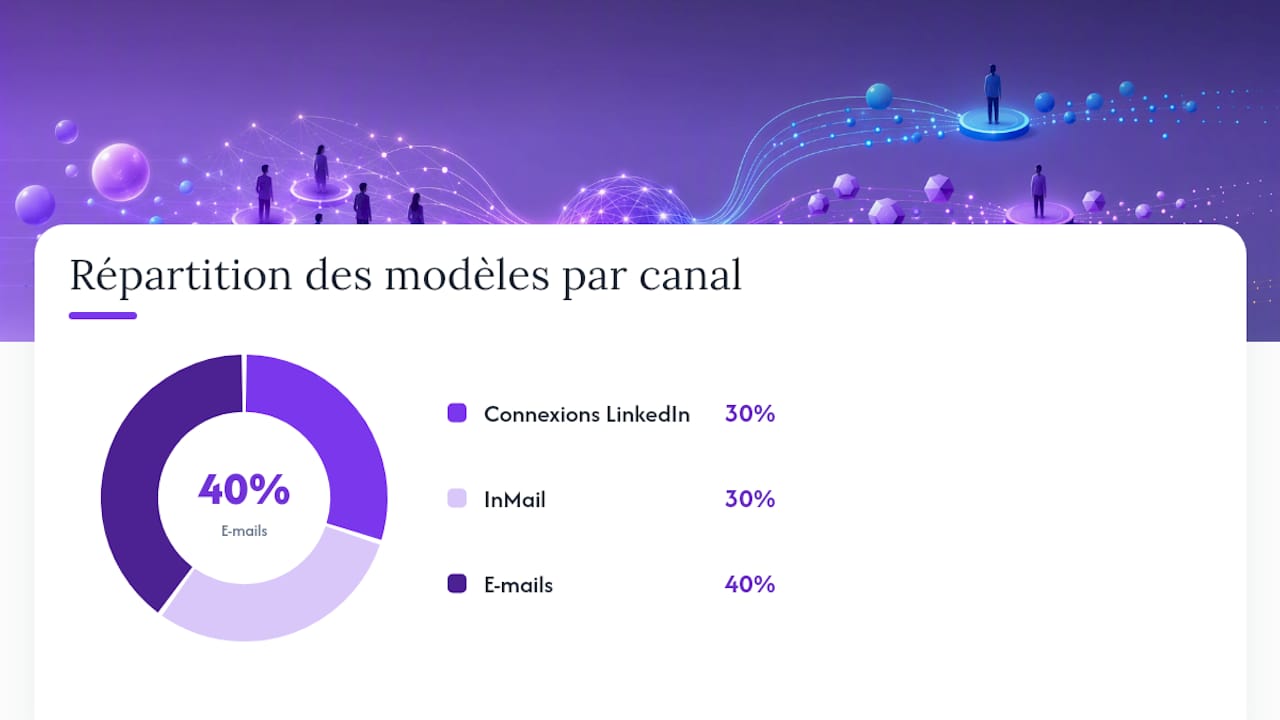
Ten templates cover most sourcing situations. Always adapt the first line to the candidate's actual profile, never to the job alone.
Connection requests (LinkedIn):
- Short approach: "Hi [First name], your background at [Company] in [specific skill] caught my attention. I'm currently hiring for a role that could interest you, would you be open to discussing it?"
- Shared network: "Hi [First name], I see we both have [Mutual contact] in our network. I'm working on a project that overlaps with your expertise in [field], would a quick chat interest you?"
- Added value: "Hi [First name], your project on [concrete achievement mentioned on the profile] matches exactly what we're trying to build at [Company]. Up for talking about it for five minutes?"
InMail:
- Cold InMail: open with a specific fact taken from the profile, present the role in two sentences at most, and end with an easy-to-answer closed question.
- Re-engagement: recall the context of a previous exchange, even an old one, before offering a new opportunity aligned with their career progression.
- Internal relay: mention that the message is co-written or approved by the role's technical manager, which builds credibility with highly solicited profiles.
Emails:
- Short subject line: "[First name], a question about your next step" converts better than a generic subject like "Opportunity at [Company]".
- Short email: three sentences, a calendar link, nothing more.
- Detailed email: role context, two points of fit with the profile, a salary range if relevant to speed up the decision.
- Follow-up: rephrase the initial hook from a different angle rather than repeating the same message.
Every signature should include your name, your role, a phone number and a link to your own LinkedIn profile, a detail that improves perceived credibility according to recommendations from Zety.
How to build a multichannel sequence that gets replies?
A typical sequence spans three to six weeks, with four to six spaced-out touchpoints so you never come across as pushy.
- Day 1: personalized connection request or InMail depending on the degree of connection.
- Day 4: if there is no reply, send a short email that takes up the initial hook from a different angle.
- Day 9: follow up via WhatsApp or SMS if the number is available, a channel still underused in recruiting but one that captures attention differently from a saturated inbox, as detailed in this article on sourcing via WhatsApp.
- Day 16: last follow-up email, direct tone, explicitly stating that this is the last message on the subject.
- Day 30: courtesy message to keep the door open, useful for nurturing a future talent pool.
A candidate who just published a post about a new project or who recently changed roles deserves accelerated outreach, within 48 hours. Conversely, a very senior profile or an executive tolerates a longer cadence, with more spaced-out touches and more personalization per message.
Pro tip: track three simple metrics to adjust your sequence: open rate, reply rate and number of interviews secured. A good email open rate in recruiting serves as a benchmark to tell whether the problem comes from the subject line, the content or the targeting.
How to verify candidate emails and protect your deliverability?
An unverified email that bounces damages your sender reputation much faster than you might think. The operational target remains less than 3% hard bounces on your campaigns, a threshold that lists built without verification quickly exceed, according to Reachly. Verification tools like ZeroBounce work by querying the target mail server without actually sending the message, which confirms the mailbox exists before any real send.
A few simple rules limit the damage:
- Systematically remove generic addresses like contact@ or hr@, which are useless for reaching an individual candidate.
- Re-verify lists older than a month, because addresses expire and staff turnover remains frequent.
- Immediately remove any hard bounce or unsubscribe request from your active database.
- Set up SPF and DKIM on your sending domain, and ramp up volume gradually rather than sending hundreds of messages on day one.
On the legal side, using a personal address in recruiting is governed by the GDPR: always document the source of the data and limit its use to a legitimate recruiting purpose, with no resale or commercial reuse.
Automate candidate outreach without losing personalization
Beyond a certain volume, manually searching for LinkedIn candidate emails becomes a bottleneck rather than a lever.
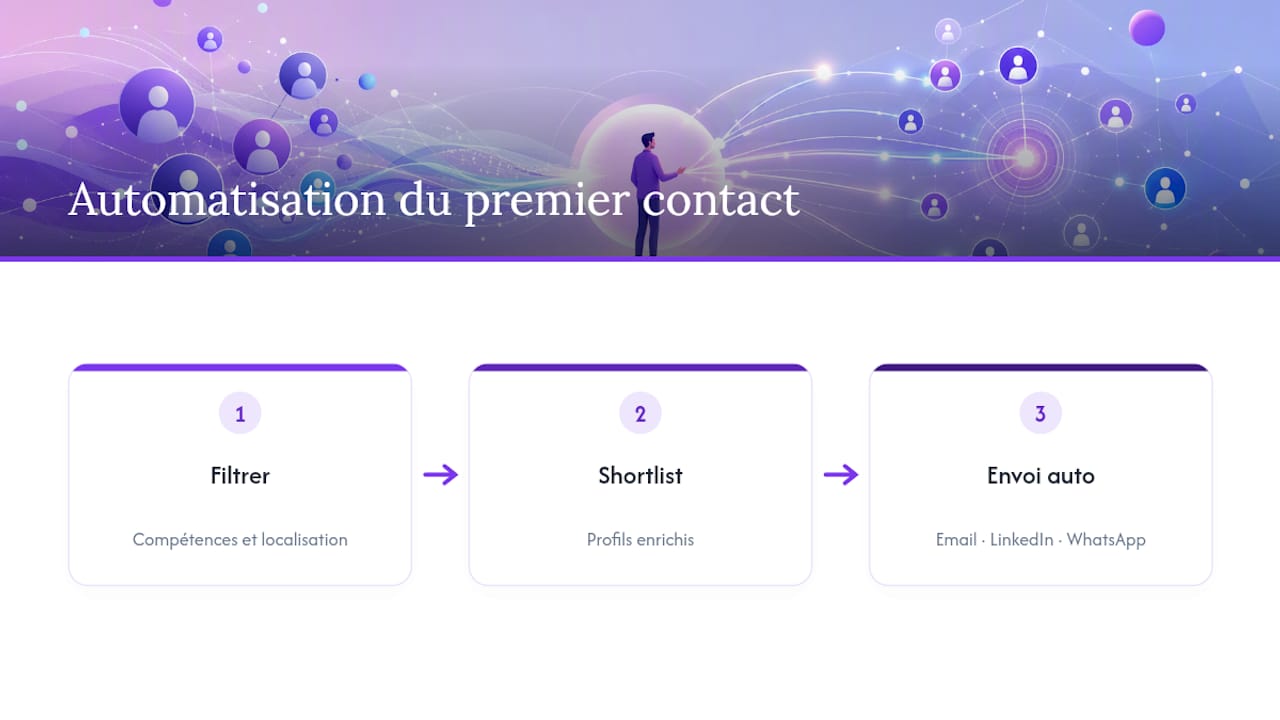
In practice, a recruiter filters a search by skills and location, gets an enriched shortlist, then triggers a first automated send by email, LinkedIn or WhatsApp without re-entering a single contact detail. Automation makes sense as soon as a need becomes repetitive: several similar roles open in parallel, a high weekly sourcing volume, or a constant need to enrich incomplete profiles.
What recruiters most often get wrong about candidate outreach
The most common mistake seen in field training is not technical, it is behavioral: sending the same message to fifty profiles and changing only the first name. Technical candidates spot this copy-paste within seconds, and the reply rate collapses.
The second mistake is neglecting A/B tests on subject lines and send times, even though these are the two easiest variables to adjust. Finally, automation never removes the need for a human check on strategic profiles: a tool speeds up the search, it does not replace judgment about who deserves a truly personalized message.
Jules
Scale up with Kalent without sacrificing personalization
Manually searching for each LinkedIn candidate email takes time that most recruiting teams do not have to spare. Kalent automates this upstream step: searching for profiles by precise criteria, automatically enriching personal emails and mobile numbers, then triggering the first contact on LinkedIn, email or WhatsApp from a single interface.
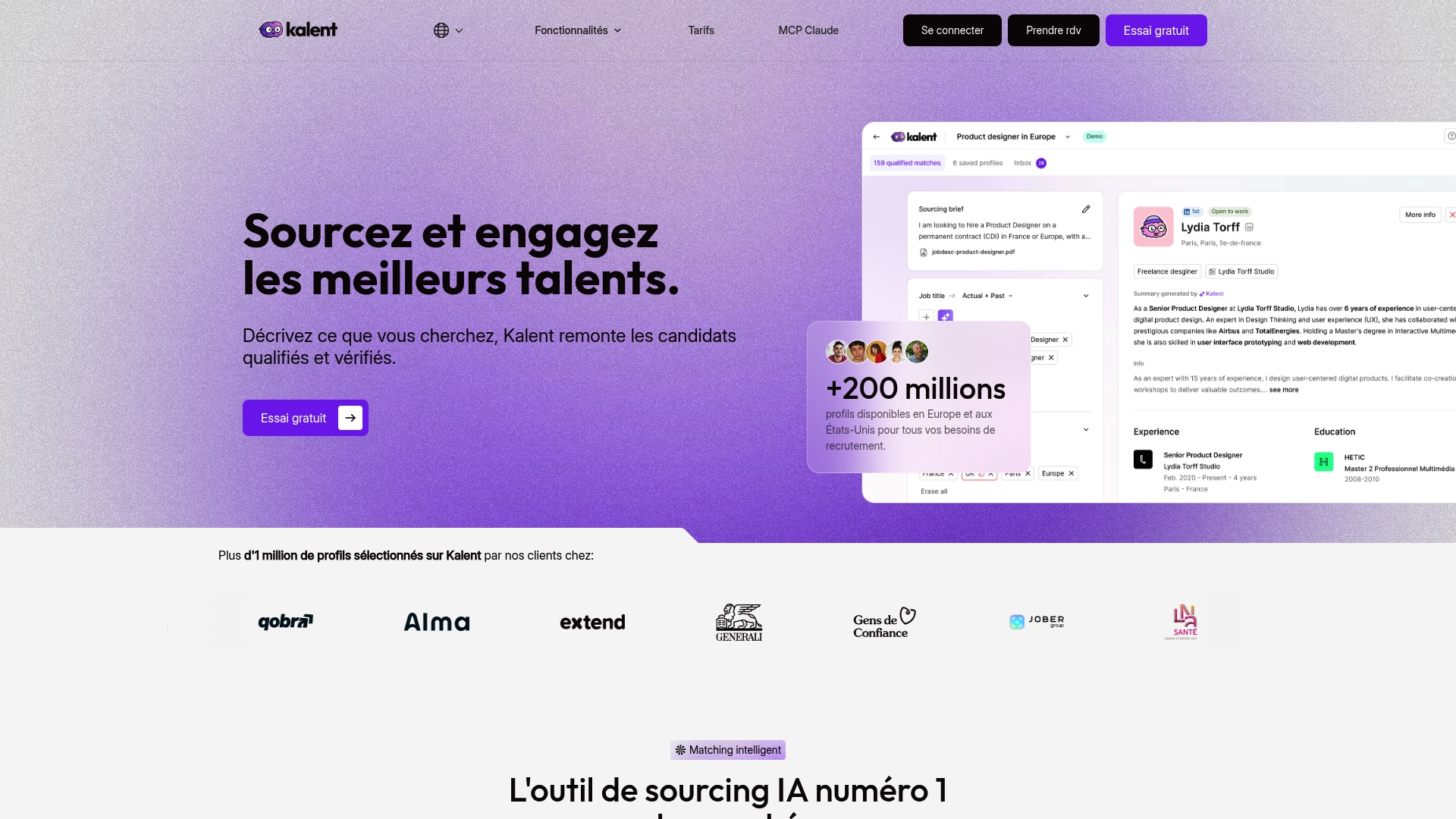
The platform becomes relevant as soon as your sourcing volume exceeds a handful of one-off searches per week or several similar roles run in parallel. For an isolated need and a single profile to contact, the manual methods described above are more than enough. The subscription starts at €79 per month with the Sourcing plan, or €1,490 per year with an annual commitment, and goes up to €119 per month for the Copilot plan including multichannel automation, according to Kalent's pricing page. Try the talent search engine or book a demo to see how the enrichment cascade works on your own search criteria.
Sources
- How to find emails from LinkedIn: 8 methods that actually work in 2026
- How to Find Someone's Email on LinkedIn (2026)
- Using personal emails for recruiting with LGM
Frequently asked questions
Why do I receive emails from LinkedIn?
LinkedIn sends automatic notifications tied to your activity: new profile views, unread messages, connection suggestions or job recommendations. These emails do not come from recruiters directly but from the platform's notification system, which you can adjust in your account settings.
How can I recruit candidates on LinkedIn?
Combine a keyword and filter search with a personalized outreach approach: a targeted connection request, an InMail or a verified email as a follow-up. Platforms like Kalent speed up this step by automatically enriching contact details and launching the first multichannel contact.
Can you give an example of an unsolicited application message on LinkedIn?
An effective message names a specific achievement of the candidate, explains in one sentence why the role fits their background, and ends with an easy-to-answer closed question. For example: "Hi [First name], your work on [specific project] matches what we're trying to build, would you be open to discussing it this week?"
How do you find someone's email on LinkedIn?
Start with the Contact info section, the banner and the About part of the profile, then the export of your first-degree connections if the contact is already in your network. For larger volumes, a cascade of enrichment tools followed by verification remains the most reliable method, as Reachly explains.


