
Contacting Candidates on WhatsApp: A Compliant, Effective Method
Contact candidates on WhatsApp within the rules: get their consent, explain how their data will be used and choose a business account.

Yes, you can contact a candidate on WhatsApp, provided you get their prior consent and use a business account rather than a personal number. The CNIL requires you to inform the candidate of the purpose of processing their data from the very first message. Our immediate advice: check where the consent comes from before sending anything, then favor a shared solution such as WhatsApp Business.
In short:
- Before any message, tell the candidate the purpose and record their consent; then delete their data, unless they agree to join a talent pool limited to two years.
- Send messages between 9 a.m. and 7 p.m., then follow up after 48 to 72 hours and make one last attempt before closing the contact.
- With WhatsApp Business, messages started by the company must use approved templates; after the first reply, free-form exchanges are allowed for 24 hours.
- Start with a few roles and measure the reply rate, the move to interview and the final conversion before extending WhatsApp to all your hiring.
Table of contents
- When and why to use WhatsApp rather than email or LinkedIn
- CNIL/GDPR compliance checklist for contacting a candidate on WhatsApp
- Writing effective, professional messages and follow-ups on WhatsApp
- Technical setup and minimal workflow: API, templates and traceability
- How Kalent helps automate and track WhatsApp outreach
- A practical view on the professional use of WhatsApp in sourcing
- Automate your WhatsApp campaigns with Kalent
- Frequently asked questions
- Sources
When and why to use WhatsApp rather than email or LinkedIn
WhatsApp changes the game when responsiveness matters more than formality. A candidate who checks their phone every hour will often reply faster to a WhatsApp message than to an email buried in a work inbox. The channel is especially well suited to mobile profiles, field roles or sectors where hiring is decided in a few days.
The most relevant use cases:
- Following up with a silent candidate after a first email contact that went unanswered.
- Quickly confirming an interview slot or sending a reminder the day before.
- Talking with junior profiles or people from sectors where work email is rarely checked.
On the other hand, WhatsApp loses its appeal with senior executives used to more formal exchanges, or when you have no reliable mobile number. The channel only works if the candidate has shown, in one way or another, a preference or prior openness to this kind of contact.
CNIL/GDPR compliance checklist for contacting a candidate on WhatsApp
Contacting a candidate on WhatsApp is subject to the same rules as any other processing of personal data. The recruitment guide published by the CNIL points out that collecting information about a candidate, including their phone number, is processing governed by precise principles: a defined purpose, prior information, and proportionality of the data collected.
Before sending a message, follow these steps:
- Tell the candidate the exact purpose of the contact (hiring for a given role) and who will receive the data.
- Limit the information requested to what is strictly useful for assessing the role, as the CNIL recommends in its practical guide for candidates.
- Document consent in your CRM or ATS: timestamp, text of the first message, source of the number.
- Delete the data of rejected candidates after the final decision, unless they explicitly agree to stay in a talent pool.
The figure to remember: the CNIL states that once hiring is closed, the data of rejected candidates must be deleted, unless they consent to join a talent pool, in which case retention can extend for a limited period with explicit agreement.
Also manage internal access: only the people involved in hiring should see these conversations, and proof of consent must remain available in case of a request to exercise data rights.
Writing effective, professional messages and follow-ups on WhatsApp
A recruiting message on WhatsApp is read in a few seconds on a phone screen, which calls for particular discipline: it must be short, personalized, and carry a clear call to action. State the role and the reason you are reaching out right away, then suggest a simple action, such as replying yes or no, or picking a time slot.
A few principles to follow:
- Send your messages during the day, between 9 a.m. and 7 p.m., to respect the candidate's private time, drawing for instance on an example of a LinkedIn recruiting post to word your messages effectively.
- Personalize each message with the first name and the target role rather than sending generic text.
- Avoid any unsolicited bulk sending, which amounts to broadcasting and hurts your professional image.
- Segment your sends by profile and process stage, rather than using a single message for everyone.
An effective follow-up cadence usually follows a tight rhythm: an initial message, a follow-up 48 to 72 hours later if the candidate has not replied, then a last follow-up before closing the contact. Our observations on email follow-up campaigns show cadence logic that carries over to WhatsApp, where the response window is usually shorter.
Example wording for a first contact: "Hello [First name], I'm hiring for a [title] role at [company]. Your profile interests me, would you be open to a ten-minute chat this week?"
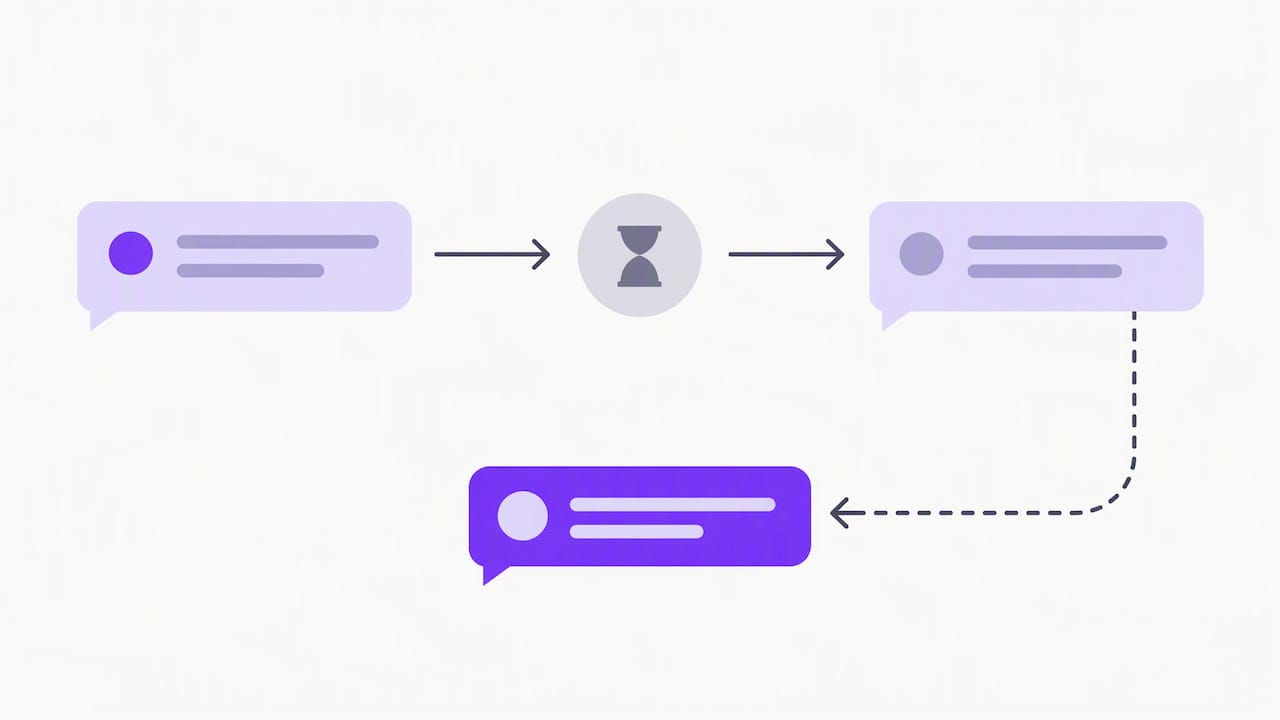
For a follow-up: "Hello [First name], I'm getting back to you about the [title] role. Still interested?"
Pro tip: keep your messages under three sentences: a candidate who has to scroll to read your message loses most of their attention before the end.
Technical setup and minimal workflow: API, templates and traceability
Using a personal number to contact candidates creates a double problem: no shared traceability, and lost history if the recruiter leaves the team. The official WhatsApp Business documentation explicitly recommends using WhatsApp Business or its API rather than a personal account, in order to centralize conversations and share access among several recruiters.
Two technical rules shape the professional use of the channel:
- Messages initiated by the company must go through pre-approved message models, called templates, validated by Meta before they are sent.
- Once the candidate has replied, a 24-hour window opens during which free-form exchanges are allowed with no template constraint.
The recommended operational workflow follows a simple sequence: collecting consent, sending the initial message via a template if the candidate has not replied yet, a scheduled follow-up, then logging each exchange in your CRM or ATS. Restrict access to conversations to the people involved in hiring, and keep proof of consent separate from day-to-day exchanges so you can respond quickly to a request to exercise data rights.
How Kalent helps automate and track WhatsApp outreach
We designed our platform so that moving to WhatsApp does not mean juggling several tools.
In practice, our automation covers:
- Sending messages on LinkedIn, email and WhatsApp from a single scheduled sequence.
- Direct integration with your ATS to bring back the candidates who replied.
- Automatic enrichment of candidate profiles with the available contact details.
This multichannel automation helps improve sourcing efficiency for the teams that use it. For the technical setup, our WhatsApp connection guide details the configuration steps, and our article on sourcing via WhatsApp offers template examples suited to different sectors.
A practical view on the professional use of WhatsApp in sourcing
What many recruiters underestimate is the gap in responsiveness between an email and a well-targeted WhatsApp message: the latter often gets a reply within a few hours rather than a few days. Our recommendation is to start small, on a handful of roles, and track three simple indicators: reply rate, interview rate, final conversion rate. These numbers will tell you much faster than any gut feeling whether the channel deserves to be rolled out.
Jules
Automate your WhatsApp campaigns with Kalent
Centralizing outreach on WhatsApp without losing hours every week is exactly the problem we set out to solve. Our platform automatically enriches candidate profiles with their mobile contact details, then schedules sending and follow-up without you having to copy a number into another app.
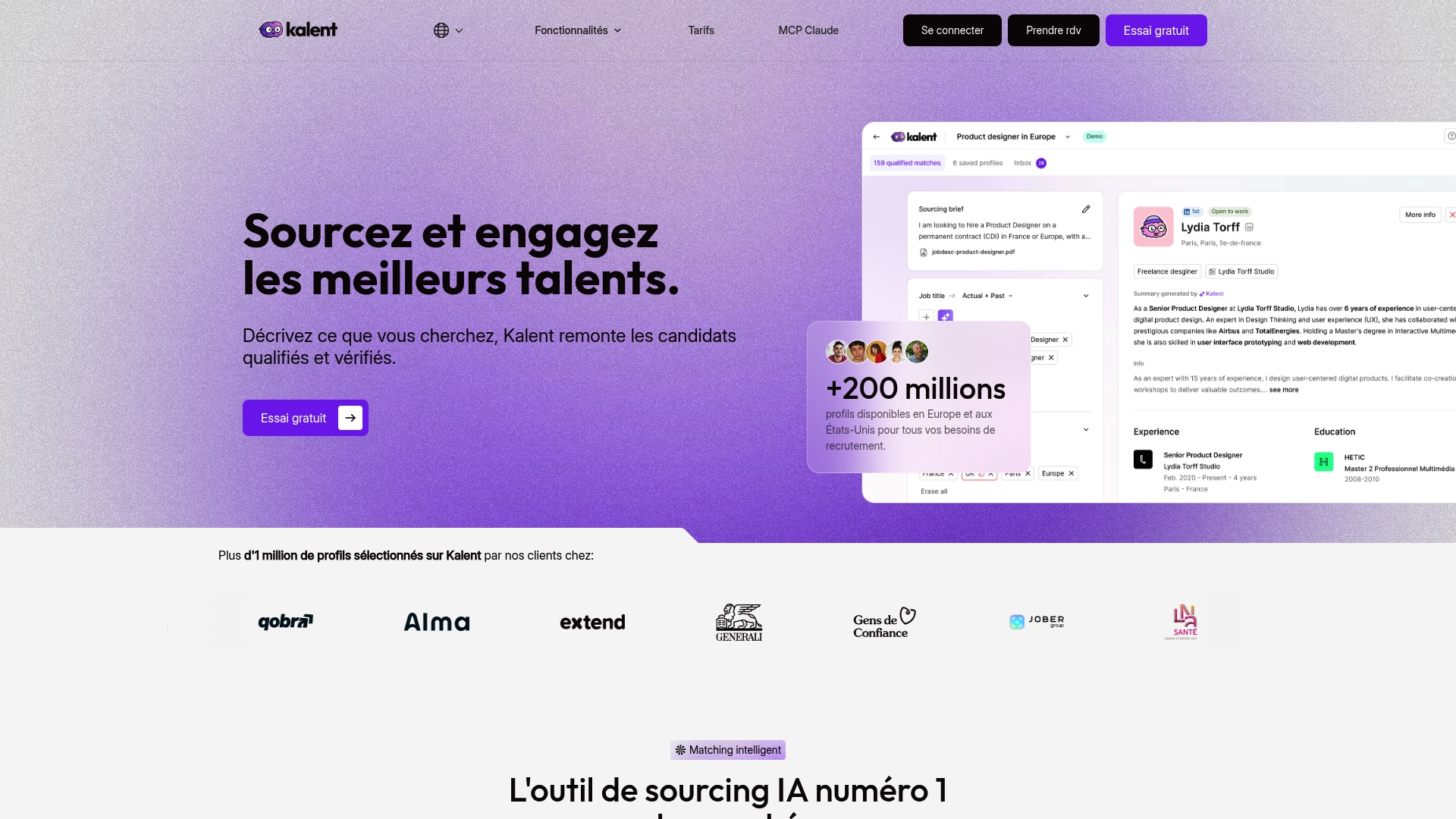
In practice, a recruiting team can build a sequence that sends a personalized initial message, schedules an automatic follow-up after 48 hours without a reply, and brings every exchange back into its centralized tracking board:
- Search and enrichment of profiles with mobile numbers and personal emails.
- Scheduling of multichannel sequences including WhatsApp, email and LinkedIn.
- Centralized tracking of replies to prioritize the most responsive candidates.
Our different plans are available with detailed prices on our pricing page.
Frequently asked questions
Should you always ask permission before writing on WhatsApp?
Yes, a professional WhatsApp message assumes the candidate has given their agreement or shown prior openness to being contacted. Without that basis, sending it is data processing that does not comply with the principles set out in the CNIL recruitment guide.
What is the difference between a personal and a Business WhatsApp account?
A personal account does not let recruiters share history and creates a risk of data loss when a team member leaves. The WhatsApp Business documentation recommends a business account to centralize access and ensure exchanges can be traced.
How long can you keep the data of a rejected candidate?
After the final decision, the data must be deleted, unless the candidate has agreed to join a talent pool. In that case, the CNIL mentions a retention period of up to two years.
What happens if a candidate does not reply after several follow-ups?
After one or two follow-ups spaced 48 to 72 hours apart with no reply, it is better to switch to another channel, such as email, or to close the contact politely. Our observations on email follow-up cadences show that pushing beyond three attempts generally hurts how the recruiter is perceived.
Can you use WhatsApp for a first contact or only for follow-ups?
Both uses are possible, but a first message must follow the template rules if the candidate has not started the conversation yet. After their first reply, a 24-hour window allows free-form exchanges with no template constraint, according to the WhatsApp Business policy.
Sources
- Le guide du recrutement | CNIL
- WhatsApp Business Platform, opt‑in and templates (developer documentation)


